-
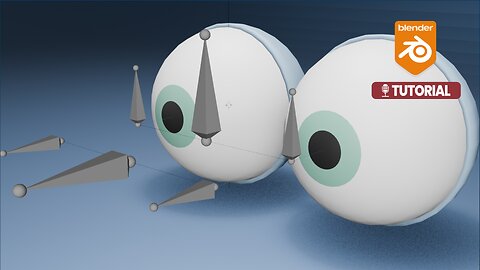
How do you rig and animate cartoon eyes (Bone Rig) in Blender 3D?
JSAbbottIn this tutorial, we will walk through the complete process of rigging and animating eyes in Blender 3D. You will learn how to set up eye and eyelid bones, apply constraints for proper movement, create master controller bones, and finally animate a simple eye blink. #Blender #Animation #Rigging Rigging Playlist: https://rumble.com/playlists/B6-yh0d-n7Y?e9s=src_v1_upp_pl Eyes: https://drive.google.com/file/d/19JgFks2WLbaB4oFe5E-j10-Mg5zsBuPH/view?usp=sharing Timeline: 00:00 Opening 00:03 Introduction 00:14 Rigging the eyes 01:56 Rigging the eyelids 04:05 Left eye 04:58 Controller bones 07:30 Eye blink animation 08:41 Conclusion1 view -
How to rig a character in AccuRig and add Rigify controls in Blender 4.2 | Tutorial #Rigging
JSAbbottThis video shows how to rig a character in AccuRig. You will learn how to rig a character in AccuRig and then use the Rigify control rig in Blender 4.2. The final composite and render was done in Blender. #Blender3D #AccuRig #Rigging Timeline: 00:00 Introduction 00:05 AccuRig 02:47 Blender (Rigify) AccuRig: https://actorcore.reallusion.com/auto-rig/accurig CC Blender Auto Setup: https://www.reallusion.com/auto-setup/blender/download.html TUTORIAL: https://magazine.reallusion.com/2022/11/11/accurig-to-blender-pipeline-an-easy-accurate-way-to-auto-rig-any-character/36 views