-
Set Up Rumble Wallet
TeaWithVRumble Wallet is a digital wallet that lets fans tip creators directly with crypto like Bitcoin or stablecoins. It's non-custodial, so creators control their money themselves89 views 2 comments -
Network infrastructure Setup | Powered by PowerIRL
SeekaplayerUS users: https://stake.us/?c=seekaplayer Non-US users: https://stake.com/?c=seekaplayer Follow Me! https://linktr.ee/seekaplayer Donations https://streamelements.com/seekaplayer/tip PowerIRL - PowerIRL is an IRL Streamer Service that offers SRT/SRTLA, RTMP Endpoints & Cloud OBS with Drop Protection. Find out more at https://pwrirl.com VidIQ - VidIQ is a comprehensive YouTube analytics and video marketing platform designed to help content creators and businesses optimize their presence on the platform. Plus, you'll be supporting this channel by using our affiliate link. Happy creating! https://vidiq.com/seekaplayer ReStream - I use ReStream to Mulistream to multiple platforms such as. Kick, Twitch, YouTube, etc. You can get a $10 credit when you use my link to try out ReStream :) https://restream.io/join/yj5w Popl - You have got to check out Popl! This platform is amazing! It allows you to share your information and gather information from people you meet. You can use their app or purchase devices and with a tap can get your information out there to anybody with a mobile device. Check it out! Also, if you use my link you get 20% off! https://popl.co/?ref=seekaplayer Humble Bundle - https://www.humblebundle.com/monthly?partner=seekaplayer43 views 1 comment -
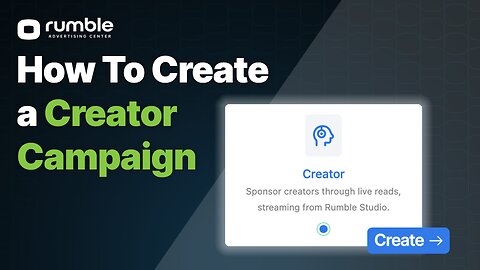
How to Create a Creator Campaign on Rumble Advertising Center (RAC)
Rumble Advertising Center (RAC)In this video, we provide a quick walkthrough on how to create a Creator Campaign inside the Rumble Advertising Center (RAC). 👉 Sign up to become a Rumble Advertiser today: https://ads.rumble.com 📧 Need help? Contact Rumble Advertising Support Help Desk: [email protected]1.84K views 1 comment -
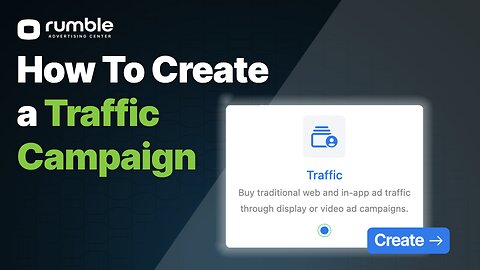
How to Create a Traffic Campaign on Rumble Advertising Center (RAC)
Rumble Advertising Center (RAC)In this video, we provide a quick walkthrough on how to create a Traffic Campaign inside the Rumble Advertising Center (RAC) - whether you're using video or image creatives. 👉 Sign up to become a Rumble Advertiser today: ads.rumble.com 📧 Need help? Contact Rumble Advertising Support: [email protected]1.68K views -
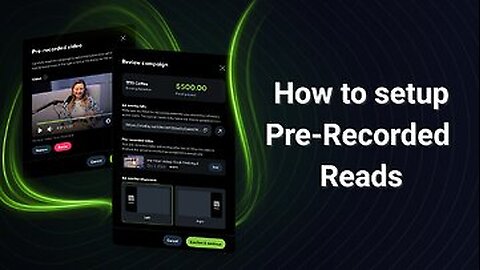
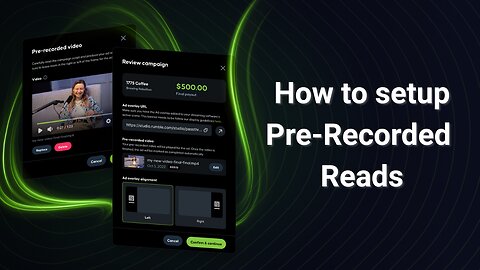
Pre-Recorded Ad Reads in Rumble Studio (Beta)
Rumble FAQThis tutorial walks Creator Program users through the new pre-recorded ad reads feature, now available in beta. Learn how to upload videos to your campaigns, run them during live streams in Canvas or Direct RTMP, and configure OBS to prevent audio conflicts. We’ll cover: Uploading and managing pre-recorded ad reads in Rumble Studio How pre-recorded reads display during campaigns Extra setup steps for Direct RTMP in OBS (audio controls and sidechain ducking) Testing your video campaign before going live 💡 This feature is currently in beta and available only to Creator Program users. Learn more here: https://rumblefaq.groovehq.com/help/pre-recorded-reads-in-rumble-studio?version=latest Timestamps: 00:00:10 - Getting Started 00:00:39 - Accessing the script 00:00:48 - Running the ad in Canvas 00:01:33 - Direct RTMP520 views 8 comments -
Pre-Recorded Ad Reads in Rumble Studio (Beta)
TeaWithVThis tutorial walks Creator Program users through the new pre-recorded ad reads feature, now available in beta. Learn how to upload videos to your campaigns, run them during live streams in Canvas or Direct RTMP, and configure OBS to prevent audio conflicts. We’ll cover: Uploading and managing pre-recorded ad reads in Rumble Studio How pre-recorded reads display during campaigns Extra setup steps for Direct RTMP in OBS (audio controls and sidechain ducking) Testing your video campaign before going live 💡 This feature is currently in beta and available only to Creator Program users. Learn more here: https://rumblefaq.groovehq.com/help/pre-recorded-reads-in-rumble-studio?version=latest Timestamps: 00:00:10 - Getting Started 00:00:39 - Accessing the script 00:00:48 - Running the ad in Canvas 00:01:33 - Direct RTMP2.59K views 1 comment -
Tutorial | How To Make A Face Swapped Thumbnail!
AnvilightTUTORIAL: How to make a thumbnail! I had been asked a lot on how I make my thumbnails, so here's a beginners guide to how I do it as well as learning how to face swap. ---------------------------------------------------------------------------------------- Join The Light Lounge, my community Discord. It's still being worked on but it's open to join right now! - https://discord.gg/MnBR7QV3 ---------------------------------------------------------------------------------------- Follow me on X - @TheAnvilight ---------------------------------------------------------------------------------------- Stream powered by: RumBot - https://www.rumbot.org/ RumbleLabs - https://rumblelabs.app/ Streambot - https://strmbot.co Galinski Designs - @GalinskiDesigns220 views 11 comments -
Using OBS with Rumble Studio
TeaWithVLearn how to connect OBS with Rumble Studio so you get all the benefits of Studio and keep your complex streaming setup2.31K views 19 comments