-
RUM-Bot v3.1.0 Live Alerts - How to for OBS
VapinGamersRUM Bot V3.1.0 Live Alerts for OBS Rumble Streamers, has brought significant updates to users who want to engage with their audience during live streams. With the introduction of RUM Bot v3.1.0, streamers are now equipped with innovative tools designed to enhance the live streaming experience which includes things like emotes in chat overlay, dual streaming chats, multiple rant options, and new raid scenes all while using OBS. In this overview, we take a look at how to set up RUM Bot Live Alerts for OBS. Other videos on the way, which will be released soon, include one for Slobs, Emotes, Overlays, Custom CSS, Etc which will be designed to help you get the most out of this amazing tool. So make sure to stay tuned! Let us know if you have any questions, comments or issues! Enjoy and #RumbleTakeOver Get RUM-Bot: https://rumbot.org Get Help: https://invite.gg/vapingamers Co-Stream Tool: https://live.rumbot.org Partners: ► Gamer Supps: https://gamersupps.gg/?afmc=vg 10% Code: VG ► Fanatical: https://www.fanatical.com?ref=vapingamers Get Social: Discord: https://discord.gg/C7FpcFy Twitter: https://x.com/VapinGamers5.89K views 37 comments -
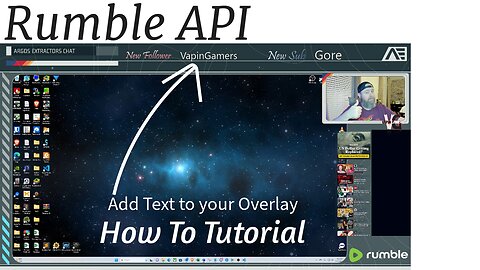
Rumble API Setup Tutorial for Live Stream Set Up
VapinGamersIn this video, we delve into the exciting world of Rumble's new API, providing viewers with a step-by-step guide on integrating it into their live streaming setups. Explore the advantages, capabilities, and efficiencies this integration offers, ensuring a seamless and enhanced streaming experience for your audience. Whether you're a novice or a seasoned streamer, this tutorial equips you with the knowledge to harness the full power of Rumble's latest beta innovation. Get the Plug-in Here: https://github.com/royshil/obs-urlsource/releases Got questions? Leave a comment down below and I will respond as soon as I can! This is a part 1 series with live stream alerts next! So make sure to follow the channel. Partners: ► Gamer Supps: https://gamersupps.gg/?afmc=vg 10% Code: VG ► Fanatical: https://www.fanatical.com?ref=vapingamers Get Social: Discord: https://discord.gg/C7FpcFy Twitter: https://twitter.com/VapinGamers1.23K views 29 comments -
The Great Mission of Rumble
chrisrumbleThis is a personal message from that comes from my heart on the week that Rumble went public on the NASDAQ as ticker RUM. I debated for a while on whether I should release this, but after talking to a few mentors of mine we decided to go with it. It explains the reason why I'm doing what I'm doing at Rumble and why its so important for our world.97.8K views 948 comments -
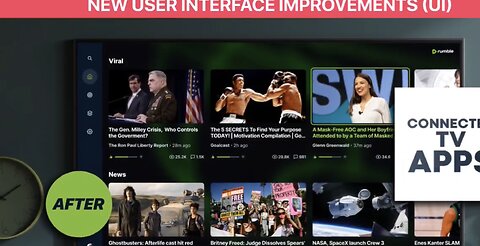
2023 Rumble Product Improvements - Year in Review!
Rick RacelaSizzle reel of some major Rumble product updates this past year. The bar was raised in 2023 and it will be raised even higher in 2024. #RumbleTakeover821 views 16 comments -
How To Make Money With Rumble Studio
TeaWithVLearn how to use Rumble Studio's new advertiser campaign feature610 views -
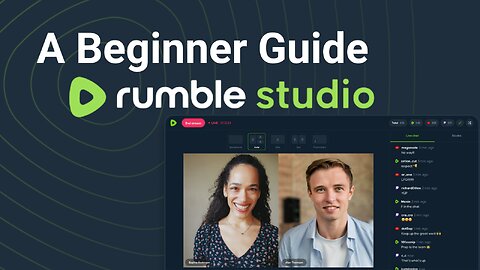
A Beginner Guide to Rumble Studio (Beta Version)
TeaWithVBasics of using rumble studio from it's Beta in November, 2023149 views -
Rumble Studio: How to upload video content
TeaWithVIn this video segment, we’ll guide you through the process of how you can seamlessly upload and playback on-demand videos— offering a dynamic viewing experience for your audience and catering to both live and simulated live stream scenarios. From December 2023 Beta468 views 1 comment -
How To Rumble Studio Stream Redirect
TeaWithVIn this video tutorial, we’ll guide you through the process of how you can seamlessly stream to Rumble, Locals, YouTube, Twitch, X, Kick, DLive, Trovo, and everywhere else for free, and – with one click; you can turn your free-for-everyone livestream into exclusive supporter-only content for your local’s community.487 views 1 comment -
Rumble Studio Audience Submissions
TeaWithVLearn how to engage more with your audience using audience submissions.370 views 3 comments -
Using OBS with Rumble Studio
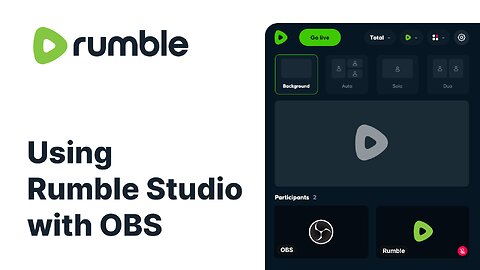
TeaWithVLearn how to connect OBS with Rumble Studio so you get all the benefits of Studio and keep your complex streaming setup2.3K views 19 comments