-
Pre-Recorded Ad Reads in Rumble Studio (Beta)
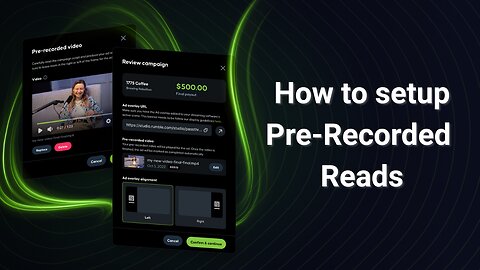
TeaWithVThis tutorial walks Creator Program users through the new pre-recorded ad reads feature, now available in beta. Learn how to upload videos to your campaigns, run them during live streams in Canvas or Direct RTMP, and configure OBS to prevent audio conflicts. We’ll cover: Uploading and managing pre-recorded ad reads in Rumble Studio How pre-recorded reads display during campaigns Extra setup steps for Direct RTMP in OBS (audio controls and sidechain ducking) Testing your video campaign before going live 💡 This feature is currently in beta and available only to Creator Program users. Learn more here: https://rumblefaq.groovehq.com/help/pre-recorded-reads-in-rumble-studio?version=latest Timestamps: 00:00:10 - Getting Started 00:00:39 - Accessing the script 00:00:48 - Running the ad in Canvas 00:01:33 - Direct RTMP2.53K views 1 comment -
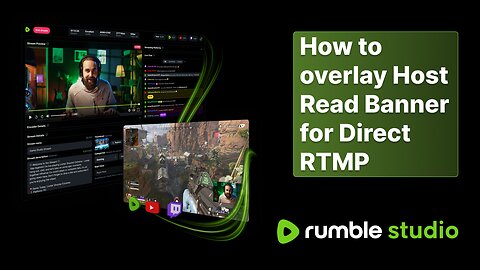
How to Overlay an Ad Banner for Rumble Studio Direct RTMP Host Reads
TeaWithVLearn how to properly set up and embed an ad banner widget in your Rumble Studio Direct RTMP live stream so your host reads get approved and you can start earning revenue. In this step-by-step tutorial, we’ll cover: - How to check available ad campaigns in Rumble Studio - Adding the ad banner widget to your stream in OBS (or other streaming software) - Best practices for performing your host read - Requirements your ad read must meet for approval Whether you’re new to Rumble Studio or just need a quick refresher, this guide will walk you through the process from setup to payout. Resources & Links: 🔗 Rumble Studio Campaigns: https://studio.rumble.com/campaigns 🔗Rumble Creator Program Host Read Guide: https://rumblefaq.groovehq.com/help/rumble-creator-program-host-read-instructions 💡 Pro Tip: Make sure your ad banner widget is visible on screen for the entire read, or your campaign may be rejected. Timestamps: Introduction - 00:00:04 View Campaigns - 00:00:19 Setting up Ad Banner - 00:00:37 Preforming an Ad Read - 00:01:40 Requirements - 00:02:243.67K views 1 comment -
How to Stream to Rumble Premium via Rumble Studio
TeaWithVAre you looking to stream for Rumble Premium subscribers? This video teaches you how to use Rumble Studio to create exclusive content. 💡 Creators will have the ability to stream exclusively for Rumble Premium only if they are active in the Creator Program. As part of the program, creators must stream 30 hours per month, with at least 5 of those hours being exclusive to Rumble Premium. This means that content will only be available to Rumble Premium subscribers. 🔗 Sign up for Rumble Premium today! https://rumble.com/premium 🔗 Creator Program Info: https://rumblefaq.groovehq.com/help/rumble-2025-creator-program My Microphone (affiliate link): https://amzn.to/3CQNteW3.86K views 27 comments -
Getting Started with Rumble Studio
TeaWithVReady to dive into Rumble Studio? This beginner-friendly tutorial walks you through everything you need to know to get started, from setting up your studio to creating your first broadcast. Perfect for new users looking to explore the platform’s powerful features for podcasting and content creation. Let’s get you up and running on Rumble Studio! TIMESTAMPS: Introduction 00:00:16 Adding Destinations 00:00:30 Library Themes 00:01:34 Library Text 00:05:37 Library Media 00:07:15 Creating a Stream 00:08:53 Edit Thumbnail and Adding Tags: 00:11:25 Navigating within Studio: 00:13:22 Screen Sharing 00:14:23 Adding Participants/Guests 00:16:20 Consolidated Live Chat 00:16:32 Studio Tab 00:18:26 Going Live 00:21:47 Stream Redirect 00:21:30 Stream Redirect Supporter Only 00:23:46 Pinning Live Chats 00:24:31 Ending the Stream 00:25:38 Wrap up and Leave 00:21:24 Closing up Studio 00:25:52 More Tutorial Videos: Audience Submissions Tutorial: https://rumble.com/v509g6b-rumble-studio-audience-submissions.html?e9s=src_v1_ucp Campaigns Tutorial: https://rumble.com/v58gtiq-how-to-monetize-your-live-stream-with-rumble-studio.html?e9s=src_v1_ucp Using OBS with Rumble Studio: https://rumble.com/v4zu76z-using-obs-with-rumble-studio.html?e9s=src_v1_ucp781 views 10 comments -
How to Connect Ecamm to Rumble Studio
TeaWithVLearn how to seamlessly connect Ecamm Live to Rumble Studio in this quick tutorial! We'll guide you step-by-step through setting up your livestream, so you can start broadcasting with ease. Perfect for content creators looking to expand their reach on Rumble. Let’s get started!238 views 1 comment -
How To Rumble Studio Stream Redirect
TeaWithVIn this video tutorial, we’ll guide you through the process of how you can seamlessly stream to Rumble, Locals, YouTube, Twitch, X, Kick, DLive, Trovo, and everywhere else for free, and – with one click; you can turn your free-for-everyone livestream into exclusive supporter-only content for your local’s community.488 views 1 comment -
How To Make Money With Rumble Studio
TeaWithVLearn how to use Rumble Studio's new advertiser campaign feature610 views -
How To Premiere Video with Rumble Studio
TeaWithVHave a video you want to schedule as a live stream? Welcome to premieres on Rumble Studio. Step one: go to studio.rumble.com. Step two: upload your video and pick a time. Step three: Sit back and let it roll. Now, how about a margarita?495 views 2 comments -
Using OBS with Rumble Studio
TeaWithVLearn how to connect OBS with Rumble Studio so you get all the benefits of Studio and keep your complex streaming setup2.31K views 19 comments -
Rumble Studio Audience Submissions
TeaWithVLearn how to engage more with your audience using audience submissions.370 views 3 comments