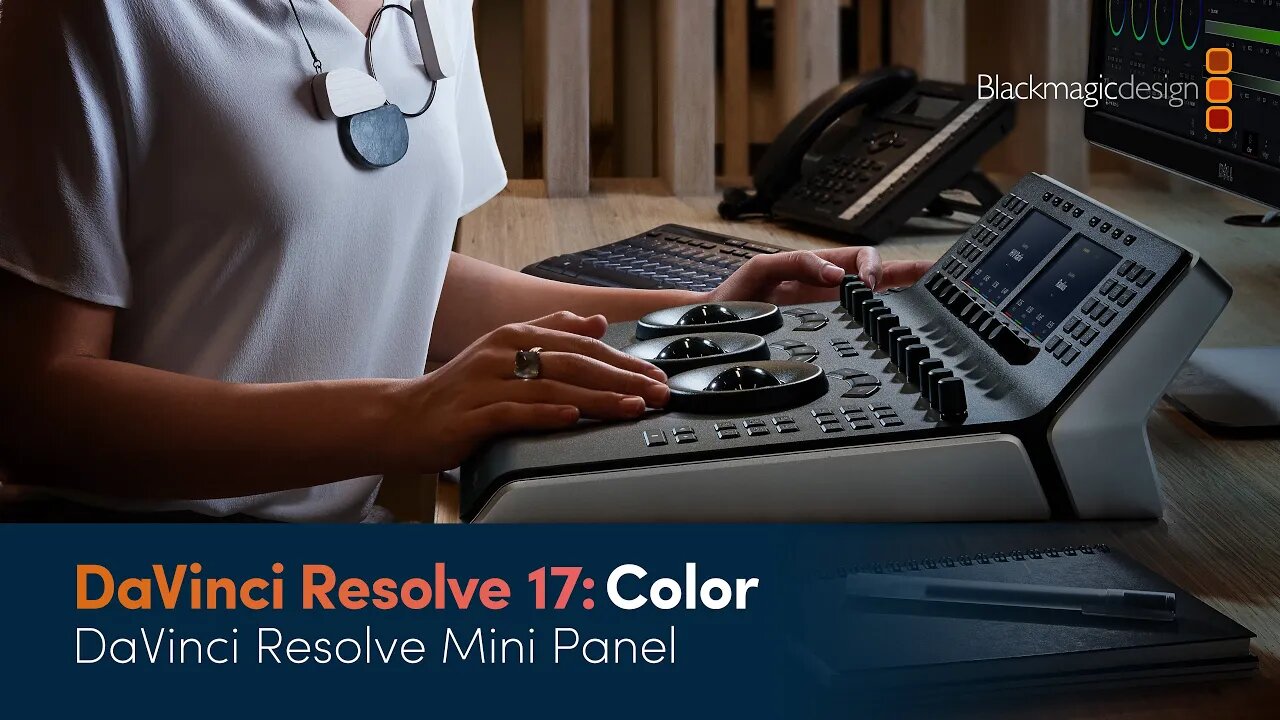
DaVinci Resolve 17 Color Training - DaVinci Resolve Mini Panel
4 years ago
4
Learn how to work faster and get more creative control with the DaVinci Resolve Mini Panel! Discover how to navigate the color page, adjust multiple parameters simultaneously and grade without using a mouse.
To get the most out of these videos, and to follow along with the lessons shown, please download the example projects and media used from http://bmd.link/dw7x3M. The latest version of DaVinci Resolve 17 can be downloaded for free from www.blackmagicdesign.com/products/davinciresolve.
Loading comments...
-
 4:55
4:55
BlackmagicDesign
2 years agoUpdate Your Camera Software
73 -
 31:29
31:29
BlackmagicDesign
4 years agoDaVinci Resolve 17 Color Training - Color Management
12 -
 9:07
9:07
Jason Stapleton
3 years agoColor Correction for Content Creators | DaVinci Resolve 18
13 -
 48:08
48:08
BlackmagicDesign
4 years agoDaVinci Resolve 17 Fairlight Training - Dolby Atmos Integration
30 -
 44:35
44:35
BlackmagicDesign
4 years agoDaVinci Resolve 17 Edit Training - Introduction to Editing Part 2
20 -
 58:00
58:00
BlackmagicDesign
4 years agoDaVinci Resolve 17 Fairlight Training - Introduction to Sound Design
38 -
 3:09
3:09
ripthedvd
3 years agoDaVinci Resolve Linux Follow Up: HiDPI fix
16 -
 23:38
23:38
BlackmagicDesign
4 years agoDaVinci Resolve 17 Fairlight Training - Channel Mapping and Linked Groups
17 -
 12:38
12:38
MarkHarrison4
2 months ago $1.28 earnedNEPAL - Trekking to Annapurna Base Camp
12.7K1 -
 LIVE
LIVE
xxTOWERDOGxx🟢Premium Creator🟢
33 minutes agoEither you Run the Day, Or the Day Runs you!🪙RUMBLE WALLET🪙RUMBLE SHORTS🪙
32 watching