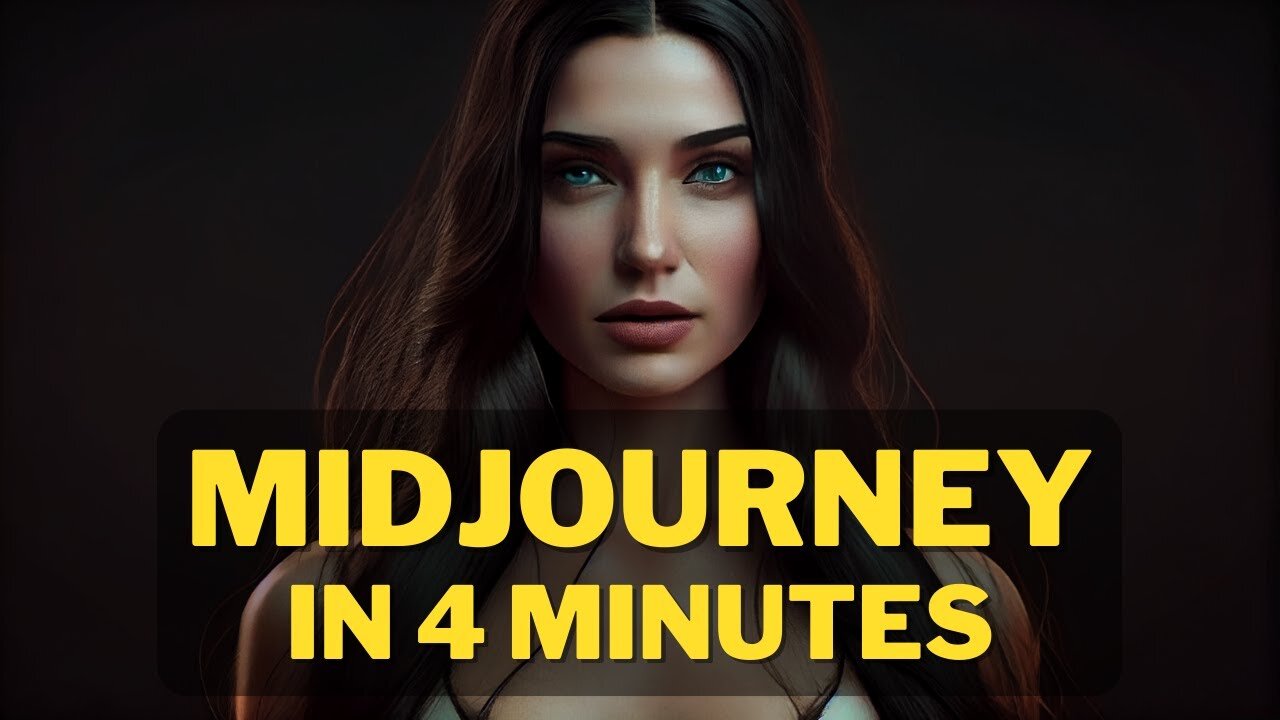
The Complete Beginner's guide ; How to Create Image with AI and Midjourney's Free Generator
In this guide, we'll teach you how to create an image with AI using Midjourney's free generator. After learning this, you'll be able to create high-quality images with ease!
Whether you're a photographer new to AI or an experienced user, this guide will teach you everything you need to know to create beautiful images with AI. With Midjourney's free generator, you'll be able to create amazing images in no time at all!
Links :
Midjourney Website : https://www.midjourney.com
AI Tools Arena : https://aitoolsarena.com
The Complete Beginner's Guide : How to Create Image with AI and Midjourney's Free Generator
#AI #ImageCreation #Midjourney #AIHowTo #CreateImage #FreeGenerator #CreativeImagery #BeginnersGuide #MachineLearning #ImageDesign #GraphicsDesign #Computervision #VisualArt #artificialintelligence
How to create image with AI ( Step by Step Guide ).
Here is a basic example : /imagine prompt cat from mars --ar 2:3 --quality 1 --upbeta
Do you want to make breathtaking images with AI? Here's your complete guide to creating stunning visuals with Midjourney's free image generator. We'll introduce you to the basics of using AI to create images and provide you with 8 easy steps to get started. With this guide, you'll be a pro in no time!
Artificial intelligence has made it possible for anyone to create unique and compelling images with minimal effort. If you're interested in experimenting with AI-generated images, here's a step-by-step guide on how to generate your first AI-generated image.
Step 1 : Join the Discord
Go to Midjourney.com, select Join the Beta, or go directly to the Midjourney Discord.
Before joining the Midjourney Discord server, you must have a Discord login.
Step 2 : Find a Newbies Channel
You can generate images with the Midjourney Bot on any server that has invited the Bot. Look for instructions on your server on where to use the Bot.
Step 3: Learn Basic Command
Interact with the Midjourney Bot on Discord using a Command. Commands are used to create images, change default settings, monitor user info, and perform other helpful tasks.
Here is a simple command structure : /imagine prompt + "your description" + Aspect Ratio + Quality + Upscaler
Step 4 : Run your first command
Here is a basic example : /imagine prompt cat from mars --ar 2:3 --quality 1 --upbeta
The Midjourney Bot takes about a minute to generate four options.
Step 5: Reroll if needed
Click Re-roll button to reruns a job. In this case it would rerun the original prompt producing a new grid of images
Step 6: Make Variations
Click V1/V2/V3/4 Button to Creates a variation of the upscaled image and generates a new grid of four options. Choose the best variation for you.
Step 7 : Upscale Image
Click U Buttons or Upscale Buttons to upscale an image generating a larger version of the selected image and adding more details.
Step 8 : Save Your Image
Click on the image to open it to full size, and then right-click and choose Save image
Congratulations, you have just generated your first AI-generated image! In the next video, I will teach you how to improve your images
How to Create Image with AI : Midjourney Free Generator
Step by Step Video Details :
00:00 Opening Video
00:17 Step 1 : Join Midjourney Discord
00:57 Step 1 : Find a Newbies Channel
01:08 Step 3: Learn Basic Command
01:23 Step 4 : Run your first command
01:55 Step 5: Reroll if needed
02:06 Step 6: Make Variations
02:32 Step 7 : Upscale Image
03:16 Step 8 : Save Your Image
How to Create Image With AI,how to create your image with ai,image with ai,how to generate image with ai,create image with AI step by step,create image with ai for beginner,how to midjourney,Midjourney Free Generator,Midjourney,Artificial Intelligence,ai art,ai art generator,midjourney,midjourney ai,text to image ai,text to image,free ai art generator,mid journey,ai art tutorial,ai art generator free,how to use midjourney,midjourney ai tutorial,ai,how to
#AIart #imagegeneration #Midjourney #texttoimage #tutorial #beginner #freegenerator #AI #artificialintelligence #stepbystep #AIartgenerator #Midjourneytutorial #Midjourneyfreegenerator #createwithAI #texttoimageAI #generatewithAI #howto #createimagewithAI
-
 1:11:52
You're The Voice Podcast
6 hours agoAustralia Is Losing Free Speech, This Senator Fights Back - Senator Alex Antic | Ep. 122
31.3K10 -
 LIVE
LIVE
Drew Hernandez
1 day agoCRINGE: PAM BONDI CRASHES OUT
1,799 watching -
 2:39:24
Badlands Media
13 hours agoDevolution Power Hour Ep. 431: Epstein Optics, SAVE Act Pressure & The Information War Fatigue
64.4K24 -
 1:20:57
Inverted World Live
11 hours agoNew Investigation Questions Kurt Cobain’s Death, Epstein Co-Conspirators Named | Ep. 171
66.1K6 -
 3:13:25
TimcastIRL
7 hours agoTHEY FINALLY DID IT | Timcast IRL #1447 w/ Jack Posobiec
254K120 -
 1:21:57
Tucker Carlson
9 hours agoRon Paul’s Warnings Have Come True: Rising Debt, Endless War & Economic Collapse
137K145 -
 3:10:36
NetAxisGroup
1 day ago$WAR x $PATRIOT Donate $20,000 to Veterans LIVE (Charity + Raids + Game Show)
81K4 -
 5:43:02
Akademiks
7 hours agoTI and 50 Cent Both Call each other RATS. Tony Yayo explains Ja Rule isnt like DAT! Brorilla up200k?
63.3K10 -
 8:15
8:15
Isabella Moody
7 hours agoNick Fuentes SHOCKED As Don Lemon Says HE'S RIGHT About EVERYTHING!
34K31 -
 18:54
18:54
LegallyArmedAmerica
11 hours ago $2.09 earnedNO APOLOGIES: Illegals are crushing America and they ALL need to GTFO!
25.8K21