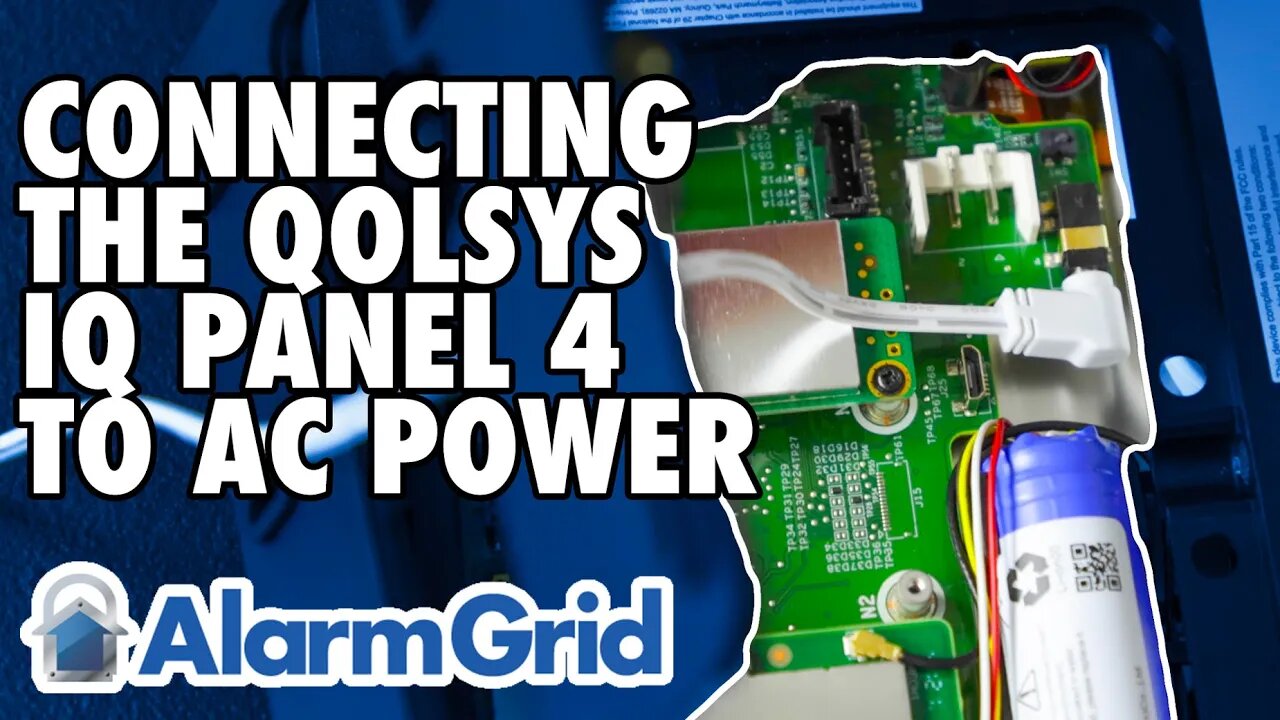
Qolsys IQ Panel 4 - Connecting to AC Power
In this video, Griffin from Alarm Grid shows the viewer how to connect the Qolsys IQ Panel 4 to its transformer for primary power. There are two different ways to attach power to the panel. One is to use the barrel connector on the precut 8' power wire that comes with the panel. The other is to cut your own custom 2-conductor wire and connect it to the terminal block located on the inside of the smart mount bracket as shown in the video.
If you will be using the supplied prepared wire then the connections couldn't be easier. After loosening the set screw at the bottom edge of the panel and pulling the back mounting plate loose, or if the panel is mounted to the wall, pulling the panel loose from the back plate, connect the male barrel connector to the female receptacle located on the back of the IQ Panel 4. Be sure to thread the wire through the hole in the middle of the panel's mounting plate so that it can be properly seated once you're finished.
At the opposite end of the supplied wire, you'll find two pre-connected spade lugs. They are marked Red and Black. Connect the Red spade lug to the screw terminal on the power adapter marked with a positive (+) symbol. Connect the Black spade lug to the screw terminal marked with a negative (-) symbol. Insert each spade lug under the screw, then tighten it down. Once you're finished, put the back mounting plate on the panel and tighten the set screw in the bottom.
If you need a longer wire, then we recommend you use 18AWG stranded 2-conductor wire. With this wire, you can run the IQ Panel 4 power wire up to 98.5' (30m) long. Cut the wire to the length needed without exceeding the 98.5' (30m) limit. It is recommended to use 2-conductor wire with a Black and a Red conductor, to prevent any mixup in the connections. Follow the instructions above to remove the back mounting plate. Locate the terminal block mounted inside this plate. Press down the gray tab opposite each terminal as you make your connections. Connect the Red wire to the spot marked (+). Once the wire is inserted, release the gray tab and press it up, to lock the Red wire in place. Next, connect the black wire to the spot marked (-). Insert the wire into the hole after pressing down on the gray tab. Once the wire is inserted, release the gray tab and press it up to be sure it securely locks the wire into place. Route the wire through the hole in the back of the back mounting plate so that it can be reinstalled securely.
At the other end of the wire, connect the Red lead to the power adapter terminal marked positive (+), and connect the Black lead to the terminal marked negative (-). Once this is done, install the back mounting plate and tighten the set screw on the bottom. You're now ready to plug the panel in. The battery leads should already be connected from the factory. After plugging the panel in, it will likely power up automatically. If it doesn't press the power button on the right side of the panel for about three (3) seconds and the panel should begin to boot up.
https://www.alarmgrid.com/faq/how-do-i-get-ac-power-to-the-qolsys-iq-panel-4
-
 4:37
4:37
Alarm Grid Home Security DIY Videos
2 years agoQolsys IQ Panel 4: Change the Master Code
36 -
 LIVE
LIVE
FreshandFit
11 hours agoAfter Hours w/ Girls
7,390 watching -
 25:43
25:43
Liberty Hangout
2 days ago"IDK The Solution!" Dems Admit DEFEAT on Immigration
47.1K73 -

Amy Dangerfield
2 hours agoChill Steam... Recent Thoughts & Ask Me Anything
103 -
 LIVE
LIVE
PandaSub2000
3 days agoLIVE 2/6 @9pm ET | LEGO JURASSIC WORLD w/Blabs
349 watching -
 2:03:21
TimcastIRL
3 hours agoTHEY'RE LOSING THEIR MINDS | Timcast IRL #1444 ft. Andrew Wilson & Rob Noerr
195K59 -
 LIVE
LIVE
a12cat34dog
3 hours agoWORLD WAR Z x THE WALKING DEAD | *NEW* DLC w/BubbaSZN | MASSIVE ZOMBIE HORDES {18+}
85 watching -
 1:03:51
MattMorseTV
3 hours ago $0.13 earned🔴Democrats suffer CRUSHING LEGAL DEFEAT.🔴
20.6K87 -
 1:10:12
Glenn Greenwald
5 hours agoGlenn Announces Major Changes to the Show and to Our Journalistic Platform | SYSTEM UPDATE #573
106K64 -
 LIVE
LIVE
StoneMountain64
4 hours ago$50,000 Call of Duty®: Mobile - DMZ: Recon Invitational
69 watching