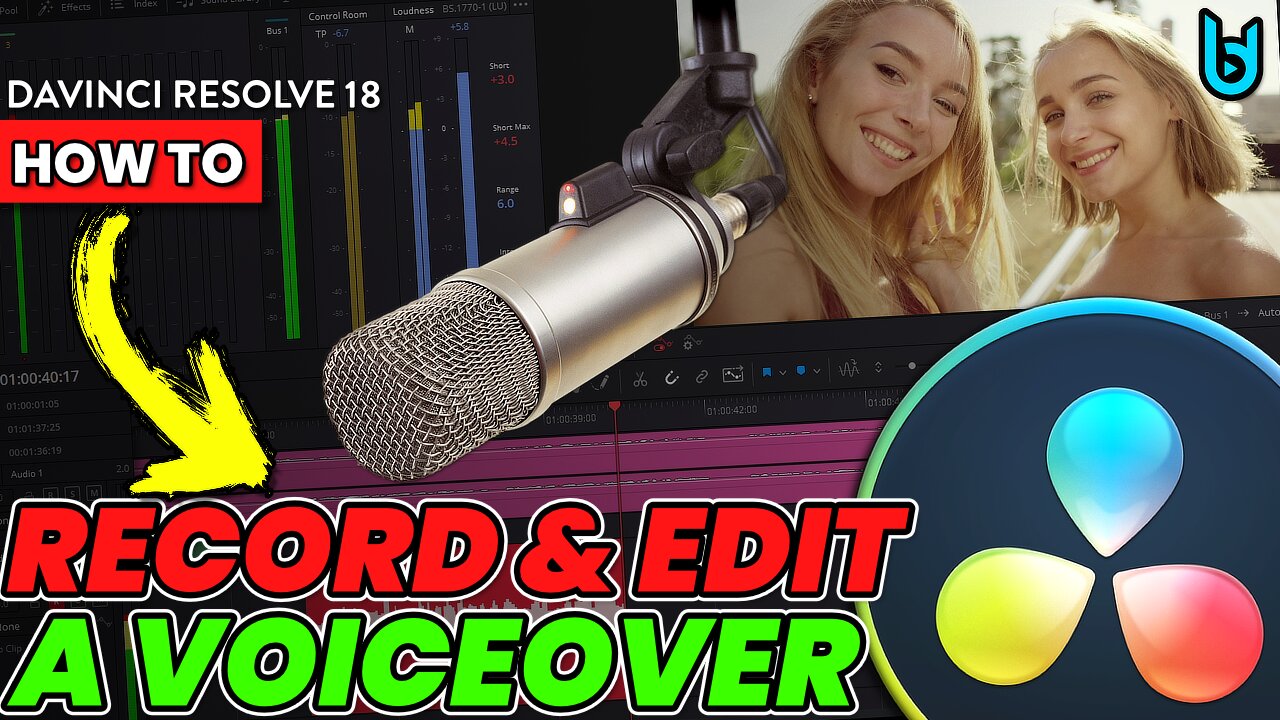
DAVINCI RESOLVE 18 - How To RECORD and EDIT a Voiceover 🎤
How to record and edit a voice-over in Davinci Resolve 18. Everything you need to know 🎤 This works in the free version of Davinci Resolve and the paid version - so everyone can do this.
Whether you need to record a microphone for a gaming video, documentary, tutorial, YouTube video, or any other kind of video, you can do it ALL within Davinci Resolve and Fairlight.
#DavinciResolve #videoEditing
You don't need a DAW in order to record and edit audio for your videos if you're using DaVinci Resolve. And that's because DaVinci Resolve has a DAW built-in called Fairlight.
DAW means: Digital Audio Workstation by the way (i.e. Pro Tools, Studio One, Logic, etc...)
If you need to record narration for a video, you can do it directly within Davinci Resolve. You can even record while watching the video! Or you could even record your voice before shooting your video, whatever you want.
BUT, it's more than just recording. You can also EDIT and MIX the audio and use PLUGINS! Also known as Audio FX. Since I come from an audio background, I refer to Audio FX as plugins.
So that means you can record audio into Davinci Resolve from the Fairlight page using your favorite microphone. Then you can edit the audio, such as: cutting out mistakes, re-arranging, adjust levels/clip gain, add fades, etc...
And then you can add your favorite VST plugins, AU plugins, or use any of the built-in Audio FX to make your track sound professional. Add things like EQ, Compression, Noise Reduction, Gate, De-Esser, whatever you want 👍
You can use any microphone you want too. So if you want to use a USB microphone like the Shure MV7, or Blue Yeti - it will work no problem.
If you want to use an XLR microphone like the Shure SM7B, Rode Broadcaster, etc... along with an audio interface, you can do that too.
Or if you don't have a microphone, you could also use the mic in your webcam - so you have plenty of options to record your voice into Davinci Resolve.
➡️CHAPTERS:
0:00 - Intro
0:28 - Setup the Track
0:56 - Set the Microphone Input
5:29 - Record the Voiceover
8:29 - Edit the Audio
13:45 - Add Audio Effects/Plugins
21:07 - Re-cap
If you want to know more about using Audio FX in Davinci Resolve, watch this video:
DAVINCI RESOLVE 18 - How to use Audio FX (VST & AU Plugins) EVERYTHING YOU WANT TO KNOW 🔥
https://rumble.com/v153dzk-davinci-resolve-18-how-to-use-audio-fx-vst-and-au-plugins-everything-you-wa.html
➡️Products mentioned or shown in video: (affiliate links)
iZOTOPE Nectar 3
https://www.pluginboutique.com/product/2-Effects/54-Vocal-Processing/6901-Nectar-3-Plus/?a_aid=5dc896537a45c
Shure SM7B
https://amzn.to/3kQNllY
Shure MV7
https://amzn.to/3Bv5JaB
Audient ID44 MKII Audio Interface
https://sweetwater.sjv.io/m5za3X
Subscribe 👍
-
 LIVE
LIVE
Kim Iversen
2 hours agoTrump Pulls War Fake-Out…Attack on Venezuela Still Coming!?
7,594 watching -
 LIVE
LIVE
Redacted News
1 hour agoPutin just changed EVERYTHING with this move and NATO can't do anything | Redacted w Clayton Morris
8,674 watching -
 25:22
25:22
DeVory Darkins
1 hour agoTrump scores MAJOR WIN after Inflation Report as his speech sparks EPIC MELTDOWN
3.12K12 -
 DVR
DVR
Nick Freitas
2 hours agoLIVE at America Fest!
7.07K -
 1:11:19
vivafrei
3 hours agoCandace Owens' Backtracks? Brown University Cover-Up? Bongino Leaves! Pfizer Makes LEGAL ADMISSIONS?
94.2K40 -
![[Ep 813] LIVE from Rumble Set at AmFest 2025 | Guests Vem, Midnight, & Kevin Smith](https://1a-1791.com/video/fwe2/31/s8/1/4/F/c/J/4FcJz.0kob-small-Ep-813-LIVE-from-Rumble-Set.jpg) 56:22
56:22
The Nunn Report - w/ Dan Nunn
3 hours ago[Ep 813] LIVE from Rumble Set at AmFest 2025 | Guests Vem, Midnight, & Kevin Smith
11.6K3 -
 29:58
29:58
Stephen Gardner
3 hours ago🔥IT'S BAD! NEW report just DROPPED!
17.7K14 -
 LIVE
LIVE
LFA TV
18 hours agoLIVE & BREAKING NEWS! | THURSDAY 12/18/25
1,212 watching -
 LIVE
LIVE
freecastle
6 hours agoTAKE UP YOUR CROSS- A man’s heart PLANS his way, but the LORD DIRECTS his steps!
80 watching -
 LIVE
LIVE
John Crump Live
1 hour agoChristmas Special
40 watching