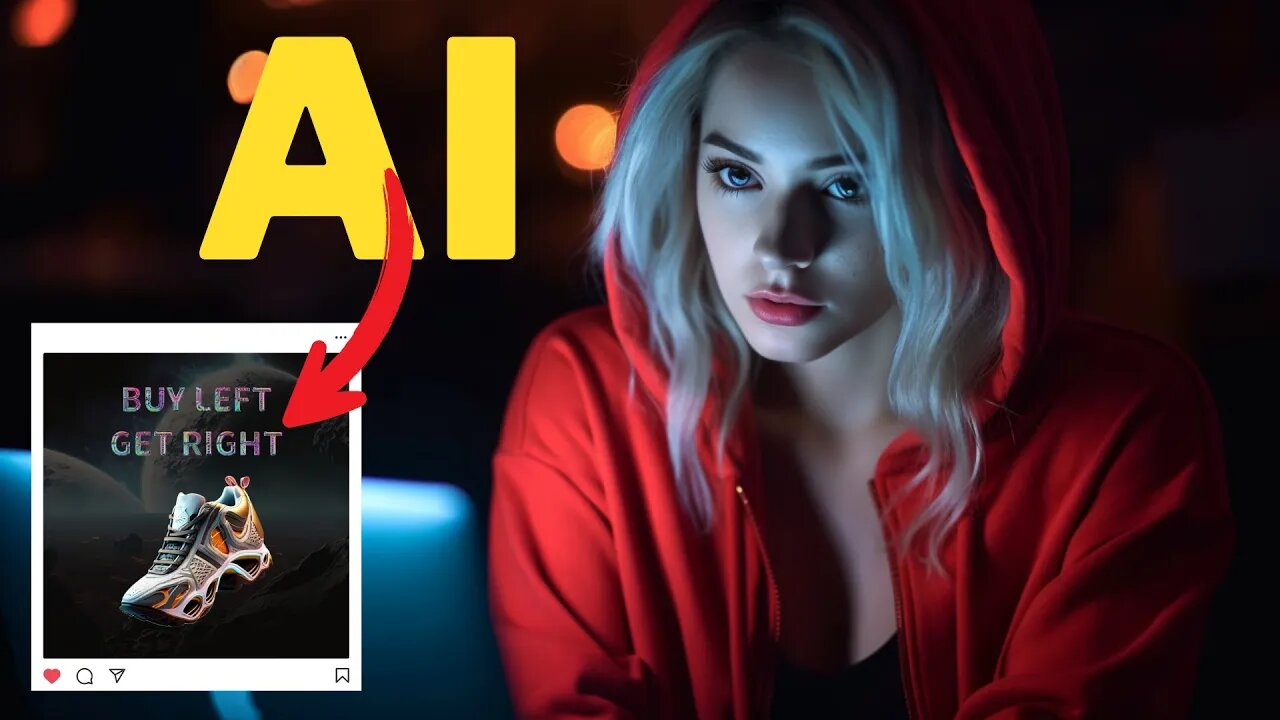
FREE Canva Alternative & Powered By AI
FREE Canva Alternative & Powered By AI #canva #adobeai #adobeexpress #ai #artificialintelligence #aitools Hi, welcome back to my AI tutorial channel. In this 6 minutes AI tutorial video, I will show you how to create images for social media content using AI and how to convert them into animation videos. This free tool works like Canva, and we can use their AI assistant to help us create engaging content just by typing command prompts.
New Adobe Express: https://aitoolsarena.com/ai-image-editor/free-canva-alternative-powered-by-ai
My AI Avatar Generator : https://aitoolsarena.com/best-ai-tools/heygen-ai
My YouTube SEO Tool : https://aitoolsarena.com/best-ai-tools/vidiq-ai
My Video Editor : https://bit.ly/try-filmora
Adobe Avatar Animation Tutorial : https://youtu.be/7MdI9DmuRLw
How To Create Video Like This : https://youtu.be/a7YJqd80joE
Part 1: Introduction.
You will need an Adobe account to access this new Adobe Express. This new version is powered by Adobe AI Tools. You can create almost everything using this tool, such as social media content, videos, talking avatars, photos, documents, marketing content, an AI logo generator, and many more. In this tutorial, we will create an Instagram content using AI.
Part 2: Create Image Background using AI Tool.
Now, let's create an image background for our Instagram content. Click the "Text to Image" button. Choose the square aspect ratio and type your prompt in the prompt box. After that, choose your content type. You can choose a photo, graphic, or art. You can also choose your image style from the options menu. Once everything is set, click the "Generate" button to start generating our AI image. This AI image generator will give us four options. If you are not satisfied with the results, click the "Load More" button to generate another four options.
Part 3: Create Object Image using AI tool.
Now, let's create our main object image. In this example, we will create futuristic shoes using AI. Click the "Text to Image" button, select the square aspect ratio, and type your prompt. After you have the desired image, click the back button and click the "Remove Background" button. You can add effects to our background to match our main image. To do that, click the "Effect" menu and choose effects that match your style
Part 4: Create Beautiful Text Using AI tool.
Now let's add text to our design using AI. To do that, click the "Text" button. Edit your text, its position, and size. To add effects to our text, you can choose from the text effect list by clicking the "Text Effect" menu. Alternatively, you can create your own text style to match your design. To do that, click the back button and type your desired text style in the prompt box. If you want to change the text style, you can click the "Remove Effect" button and type your new prompt.
Part 5: Image to Animation.
Now let's convert our image content into an animation video to make it more Engaging for viewers. To do that, click on our main image and click the "Animation" menu. Click the "Looping" option and select an animation style. Now, let's animate our text.
00:00 Intro Free Canva Alternative
00:29 New Adobe Express
01:10 Create Background Using AI
02:13 Create Image Using AI
03:14 Adobe AI Text Effects
04:29 Image to Animation
canva,canva pro free,ai,artificial intelligence,ai tools,free canva, adobe ai,adobe express,adobe express tutorial,canva pro,canva alternative,adobe firefly,canva pro free lifetime,canva tutorial,canva free,generative fill,ai news,ai art,ai video,ai video editing,generative ai,ai generated,best ai tools,canva tutorial for beginners,how to use canva,canva vs adobe express
#canva #canvaprofree #ai #artificialintelligence #aitools #freecanva #adobeai #adobeexpress #adobeexpresstutorial #canvapro #canvaalternative #adobefirefly #canvaprofreelifetime #canvatutorial #canvafree #generativefill #ainews #aiart #aivideo #aivideoediting #generativeai #aigenerated #bestaitools #canvatutorialforbeginners #howtousecanva #canvavsadobeexpress
-
 2:25
2:25
AI Tools Arena
2 years ago $0.38 earnedNew AI Video Generator : Pika Labs & RunwayML Text To Video AI Alternative
1.39K -
 5:26:18
Akademiks
9 hours agoEbro has MELTDOWN after Drake tells him to *** SLOWLY! Radio Over? NLE vs Youngboy part 805?
39.8K -
 1:35:27
Inverted World Live
10 hours agoLost Satellites, Wild Horses, and 3i/Atlas
154K6 -
 2:53:42
TimcastIRL
9 hours agoCandace Owens IMPLODES, Audience IN REVOLT, Claim SHES A CLONE Or GOT THE CALL | Timcast IRL
295K221 -
 2:49:53
Barry Cunningham
9 hours agoLIVE BREAKING NEWS: President Trump Celebrates Hanukkah! And More News
74.6K14 -
 1:29:40
Anthony Rogers
16 hours agoEpisode 394 - Isaac Butterfield
38.3K1 -
 8:02
8:02
China Uncensored
15 hours agoChina Just Took The First Step Towards WAR
48.9K25 -
 1:20:04
Flyover Conservatives
1 day agoWhy Did Jesus Really Come? It’s NOT What You Think - Pedro Adao | FOC Show
43.8K4 -
 2:18:25
DLDAfterDark
7 hours ago $4.36 earnedYo Homie! Is That My Briefcase?? EDC & Gun Talk - Blue Waffle Giveaway Pre Stream
37.1K4 -
 1:34:23
Glenn Greenwald
11 hours agoSydney Shooting Exploited for Pro-Israel Censorship and Anti-Muslim Crackdowns; How Media DEI Was the Opposite of Diversity | SYSTEM UPDATE #559
146K135