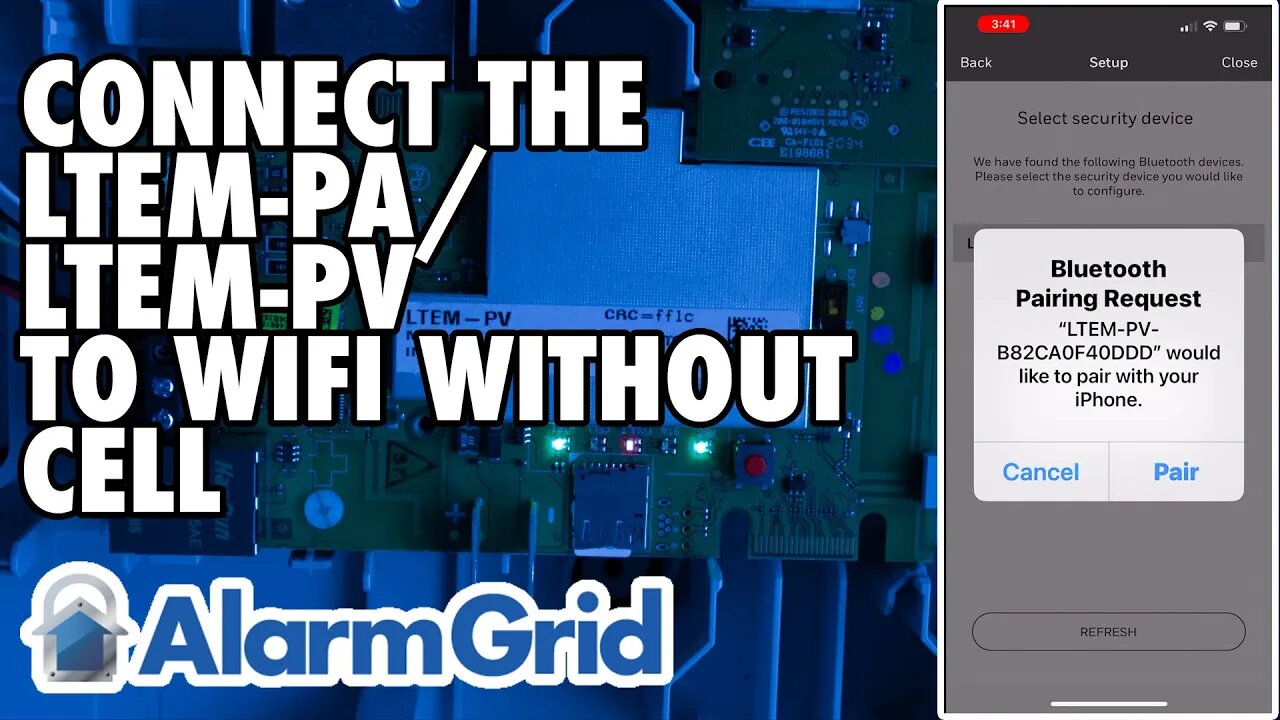
LTEM PA/PV Without Cell: Connecting to WIFI
In this video, Darrell from Alarm Grid shows you how to connect the LTEM-PA or LTEM-PV to WIFI using a cell phone when the communicator does not have a Cellular connection to AlarmNet. The reason this is important is that without a cellular connection, you must have physical access to the LTEM-P Series device so that you can manually enable its Bluetooth connection. Aside from that, connecting to WIFI with or without a cellular connection is basically the same.
In this video, we show you the connection process using an Android device. In a separate video on connecting to WIFI when you do have a cellular connection, we show the process on an iOS device. We'll put a link to that video at the bottom of this description. This video assumes the PROWIFI or PROWIFIZW module has already been installed. Make sure your phone has Bluetooth enabled, and then open the Total Connect 2.0 app and log in using the proper credentials. If you're not sure what your credentials are, contact your alarm dealer.
Once logged in, click the hamburger menu (three-line menu icon at the top left) then click on Settings and tap the "Change Device WIFI Network" option. You'll be asked, "Can you access and open the security device?" In this case, the security device is the LTEM-PA or LTEM-PV. When a cellular connection is not available, you must be able to access and open the LTEM-P Series communicator, so answer "Yes".
If the cover of the LTEM-PA or LTEM-PV has not already been removed, remove it. Find the red test button at the upper right side of the device. Press and hold it for three (3) seconds. LEDs 1, 3, and 5 should begin to flash off and on in unison. This indicates the LTEM-P Series communicator is now in Bluetooth pairing mode. It will stay in this mode for ten (10) minutes, even if after you have successfully joined the WIFI network. This is normal.
Back in the TC2 app, press the Next button, the app will let you know that the LTEM-P Series device is in Bluetooth pairing mode. Again, be sure your phone's Bluetooth is also on, then click Next on the app. Your LTEM-P Series communicator should be shown as a device to pair with. You'll know it's your communicator because it will show LTEM-PA or LTEM-PV plus the MAC address of your communicator. Tap on the device name, and a message will tell you that your phone is connecting to the panel. Once the two devices connect, a list of available WIFI networks will be fetched and displayed.
From the list, select your WIFI network and then tap Next. Type in the proper password for the WIFI network selected. This password is case sensitive. After you enter it correctly, tap Next. You will receive a message that the WIFI network for the LTEM-P Series communicator has been set up successfully. Click Done and if you're finished with the TC2 app, you can exit.
https://www.alarmgrid.com/faq/how-do-i-connect-an-ltem-pa-ltem-pv-without-cell-to-wifi
-
 3:39
3:39
Alarm Grid Home Security DIY Videos
2 years agoQolsys IQ Panel 4: Using Dual Path Monitoring
24 -
 1:13:56
Inverted World Live
8 hours agoEpstein Was Created to Engineer Reality | Ep. 168
99.1K10 -
 2:39:26
TimcastIRL
6 hours agoIT'S GETTING WORSE | Timcast IRL #1443 ft. Chrissie Mayr & Adam Johnson
207K75 -
 2:21:48
Laura Loomer
6 hours agoEP170: MAGA Fights Back Against RINOs Pushing The Dignity Act
34.3K25 -
 UPCOMING
Isabella Moody
6 hours agoLIVESTREAM: Topic TBD!
24.7K4 -
 2:25:05
Sam Tripoli
11 hours ago $2.10 earnedBS Live!: Epstein Fallout + Rothschild Connection + Evidence of Biblical Giants
28.4K2 -

Alex Zedra
4 hours agoLIVE! Playing Arc Raiders
47K1 -
 5:17
5:17
Russell Brand
8 hours agoThis Just BLEW UP In Her Face...
109K50 -
 14:10
14:10
Amy Dangerfield
5 hours ago $2.22 earnedWhy I Left Valuetainment
31.4K5 -
 1:16:10
Flyover Conservatives
15 hours agoCan a Wave of Unified Christians Really Turn California Around? - Che Ahn | FOC Show
35.1K4