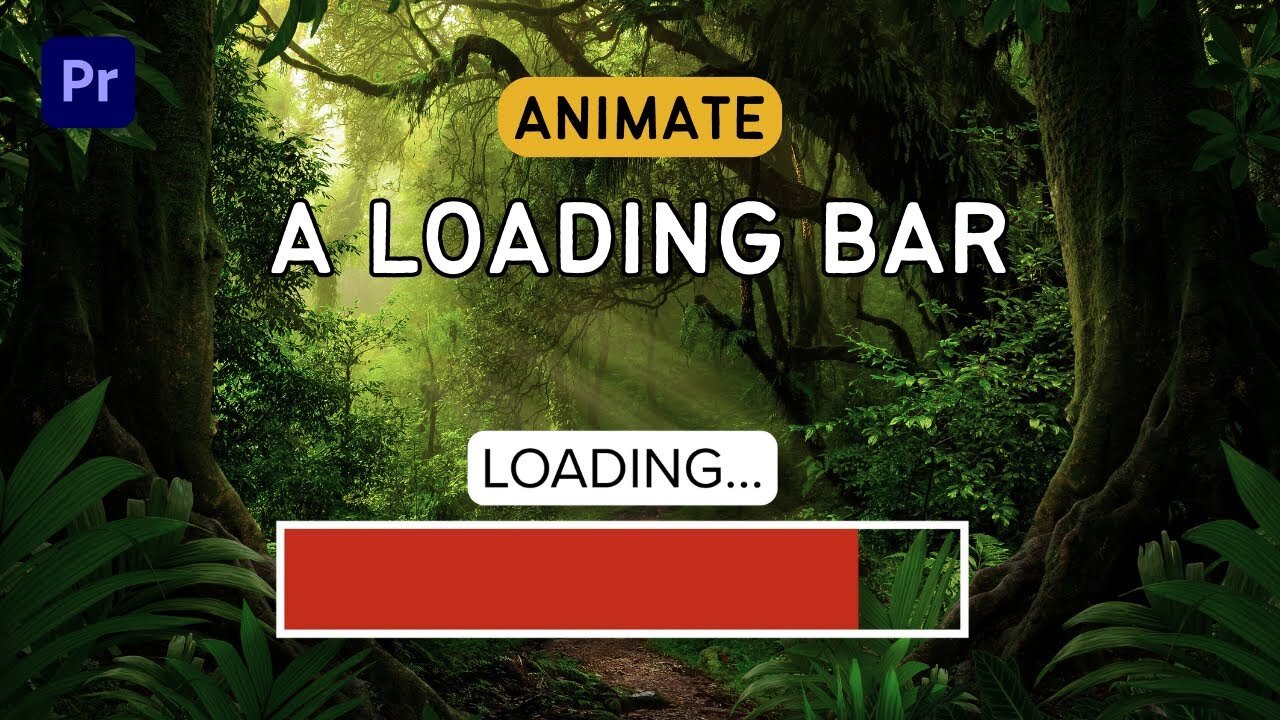
Create Amazing Loading Bar Animations in Premiere Pro: No After Effects Needed!
At the start (00:00:00:00 - 00:00:17:17), the presenter welcomes viewers back to their Premiere Pro tutorial series. He explains that he will demonstrate how to create a "cool little loading animation" in Premiere Pro, which traditionally would be made using After Effects.
From 00:00:17:19 to 00:00:34:02, he starts by erasing all existing layers and creating a new composition. He instructs viewers to import their footage into the project panel and drag it onto their timeline.
At 00:00:34:02, the instructor begins the process of creating the loading bar animation, starting with a rectangle. From 00:00:35:13 to 00:00:41:29, he opts for an extra-large rectangle for visibility and encourages viewers to choose a size that suits their needs.
In the segment 00:00:41:29 - 00:00:57:11, he continues to create the loading bar, setting the fill to none and the stroke to follow. He then moves into the essential graphics panel, and reminds viewers to ensure this panel is visible.
From 00:00:57:14 to 00:01:17:04, he emphasizes the importance of working within the essential graphics panel while creating the shape. He then describes how to create a simple rectangle with a 40 stroke, reminding viewers that they can customize the thickness.
Moving forward, from 00:01:17:06 to 00:01:39:17, the presenter creates another layer using the rectangle tool. This new shape is created inside the previous one, with a stroke and a fill. He also changes the settings to add a fill and turn off the stroke, leaving viewers with two rectangles.
In the next part (00:01:39:17 - 00:02:15:21), he explains how to adjust these rectangles: the bottom one is the stroke, and the top one is the fill. He then demonstrates how to use the selection tool to tweak the shape of the top (fill) layer, highlighting the adjustable handles that appear when the shape is double-clicked.
Between 00:02:15:21 and 00:02:37:27, the tutor works on fine-tuning the positioning of the fill within the stroke. He encourages viewers to eyeball the fit, although they can zoom in for precision.
From 00:02:37:27 to 00:02:56:17, he directs viewers to the effects panel, where they should apply a crop effect to the fill layer. He reiterates that if the effects panel is not visible, it can be found through the window.
Between 00:02:56:17 and 00:03:17:07, the instructor applies a crop effect to the fill layer and shows how to verify that it is indeed the fill layer. He guides viewers to locate and use the crop effect from the effects panel and apply it to the fill layer.
From 00:03:17:07 to 00:03:41:09, he showcases how the crop effect can be used to set the animation's direction. For this tutorial, he chooses to animate from right to left.
Between 00:03:41:09 and 00:04:15:05, the presenter shows how to animate the loading bar by moving the play head forward to the three-second mark and adjusting the crop values from 100% to 0%.
Finally, from 00:04:15:05 to 00:04:42:06, he plays the animation, which he finds a bit slow. He shows viewers how to speed up the animation by adjusting the keyframe on the timeline, then concludes the tutorial, expressing that it is indeed simple to create a loading bar animation in Premiere Pro. He signs off by asking for viewers' thoughts and thanking them for watching.
-
 7:00
7:00
Rethinking the Dollar
5 hours agoThe Silver Squeeze Just Got Real. Here’s What’s Coming!
3.98K2 -
 1:03:50
DeVory Darkins
4 hours agoDemocrats dealt MASSIVE BLOW by CNN new stunning poll on Voter ID
154K85 -
 1:01:45
Timcast
5 hours agoGOP BLOWING OUT Dems In Funding, Dems STILL Ahead Big In Polling
220K89 -
 2:59:27
Wendy Bell Radio
9 hours agoThe Deep State Blues
93.9K109 -
 1:06:59
BonginoReport
6 hours agoJimmy Kimmel Brings Kids to Protest - Scrolling w/ Hayley Caronia (Ep.227)
187K114 -
 1:52:11
Steven Crowder
7 hours agoIf Texas Turns Blue - What Happens to America: Ft. In Studio Guest TX AG Ken Paxton
464K274 -
 1:54:43
The Dan Bongino Show
8 hours agoDon't Get Played By Their Latest Gaslighting Campaign (Ep. 2444) - 02/03/2026
1.13M1.77K -
 19:06
19:06
ROSE UNPLUGGED
1 day agoClearing Space for What Matters
14.1K -
 1:13:11
Sean Unpaved
5 hours agoSam Darnold Will Be FIRST USC QB To START In Super Bowl! | UNPAVED
39.7K -
 57:49
57:49
The Rubin Report
6 hours agoListen to the Fear in Whoopi Goldberg’s Voice on 'The View' as She Gives a Chilling Warning
93.4K107