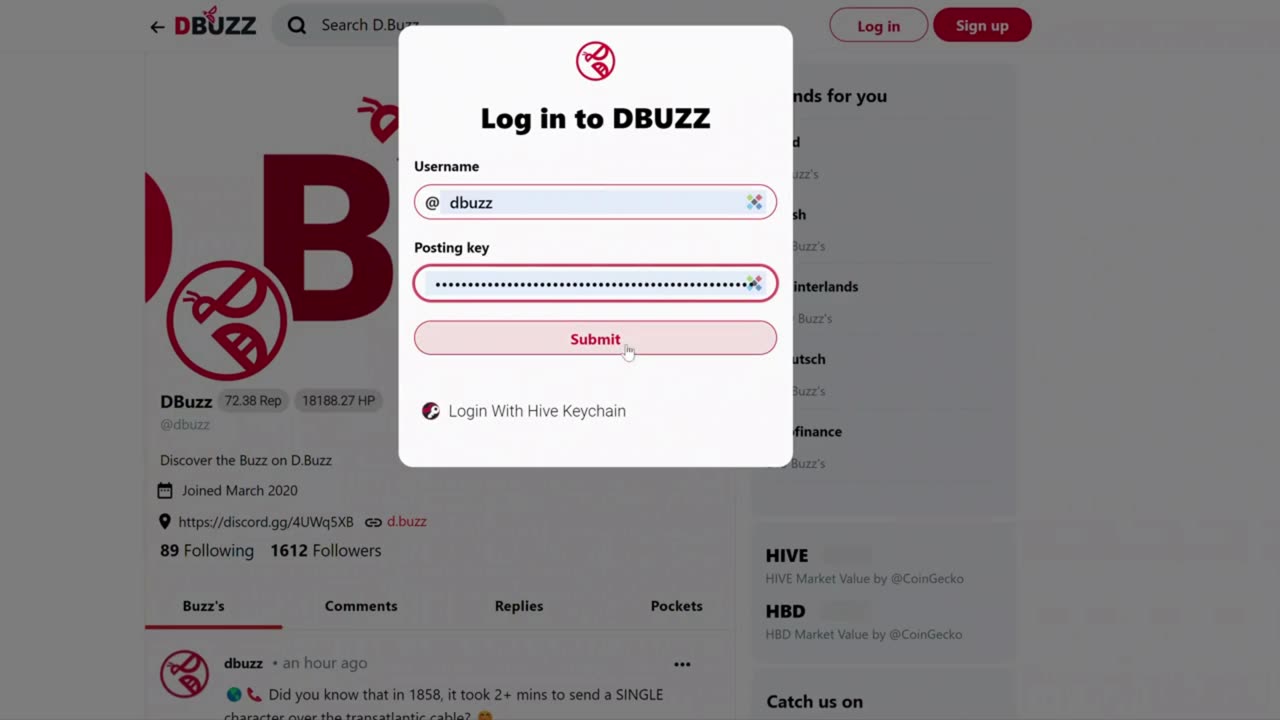
How to Login to D.Buzz
In this tutorial, we'll walk you through the steps to log in to DBuzz on your desktop:
First, open a web browser and navigate to the D.Buzz homepage.
In the top left-hand corner of the page, you should see a "Log In" button.
Click the "Log In" button to proceed.
Next, enter your username in the designated field. Note that you don't need to include the "@" sign.
You have two options for logging in at this point:
Option 1: If you have your posting key, enter it into the field provided. You would have received this key when you signed up for DBuzz.
Option 2: Use the Hive Key Chain app if you've installed it in your browser. This is the recommended method for the most secure way to log in.
After you've selected your preferred login method, click the "Submit" button.
Congratulations - you're now logged in to DBuzz
-
 LIVE
LIVE
Timcast
58 minutes agoIlhan Omar Attack HOAX??! GOP Says "ITS FAKE!"
14,625 watching -
 LIVE
LIVE
Dr Disrespect
1 hour ago🔴LIVE - DR DISRESPECT - ARC RAIDERS - BURIAL CITY KILLAS
701 watching -
 LIVE
LIVE
Steven Crowder
3 hours ago🔴Homan to Minnesota - What This Means + MCU Infiltrates Signal
27,009 watching -

The Rubin Report
1 hour ago‘Shark Tank’ Legend Notices Something in Minneapolis Others Refuse to See
4.71K8 -
 LIVE
LIVE
Wendy Bell Radio
5 hours agoThe Lamest Show On Earth
4,832 watching -
 LIVE
LIVE
The Mel K Show
1 hour agoMORNINGS WITH MEL K - Chaos Manipulation and the Media 1-28-26
578 watching -
 1:00:59
BonginoReport
3 hours agoThey Just Said the Quiet Part Out Loud | Episode 213 - 01/28/26 VINCE
163K95 -
 1:03:07
The White House
2 hours agoPresident Trump Delivers Remarks on Trump Accounts
5.27K14 -
 1:40:59
Tucker Carlson
3 hours agoChaos Is Spreading Like Cancer. What Happens Next?
53.5K147 -
 LIVE
LIVE
LFA TV
15 hours agoLIVE & BREAKING NEWS! | WEDNESDAY 1/28/26
4,173 watching