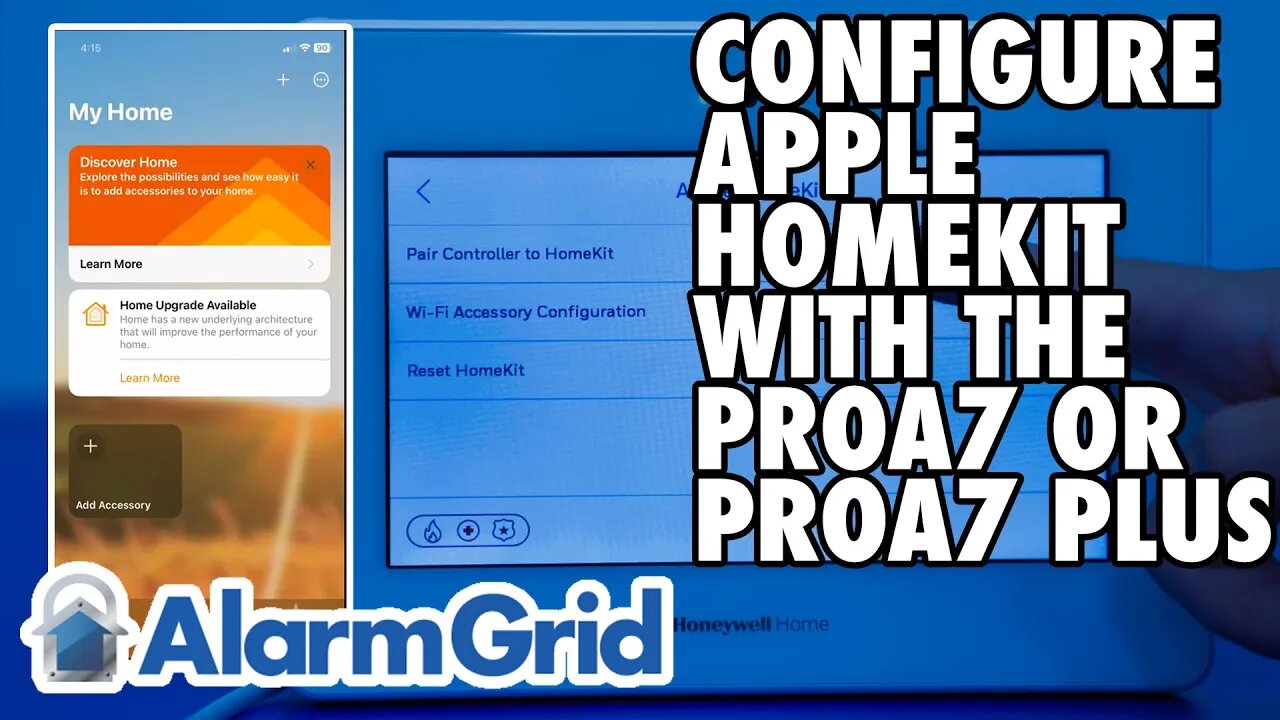
PROA7 or PROA7PLUS: Configuring Apple HomeKit
In this video, Dylan from Alarm Grid will show you how to enable and pair a PROA7 or PROA7PLUS with Apple HomeKit. In order to work with Home Kit, the panel must have access to WIFI. This means that PROA7 and PROA7C panels must first have a PROWIFI or PROWIFIZW installed before they can support HomeKit.
00:00 - Introduction
00:46 - Enable HomeKit in Panel
01:58 - Reset HomeKit (Default)
02:44 - Pair with HomeKit
02:57 - Get Panel QR Code
04:22 - Using HomeKit (Arm/Disarm)
05:40 - Closing
To verify that the panel is on a firmware version that supports HomeKit, you can go to: Menu, scroll down to Tools, Enter Installer Code (4112 is default), Programming, Advanced Settings. Scroll down to the bottom of the page and ensure the "Enable HomeKit" line item is toggled on. Use the back arrow at the upper left of the screen to back out of programming. If you don't see the option to Enable HomeKit, you need to firmware update the panel. If you're not sure how to do that, contact your alarm dealer.
Next, we recommend that you reset HomeKit. Even if you haven't used it before with the panel. This will help to prevent possible issues moving forward. From the home screen, click the Menu icon, then scroll down to Settings, Apple HomeKit, then enter the Installer Code or Master Code (default is 1234). Tap "Reset HomeKit" then tap "Continue." Once the reset is complete, you'll remain on the Apple HomeKit screen of the panel.
Begin the pairing process on the iOS device you'll be using. From within the Home app, tap "+ Add Accessory". On the panel, tap "Pair Controller to HomeKit". The panel will produce a QR code. Scan this using the camera on your iOS device. Once the QR code has been scanned, the iOS device will walk you through adding the panel and each compatible zone (life-safety zones are not compatible with HomeKit and will not show up.) You can edit device names and choose appropriate icons for each device within HomeKit. Once you're finished, click "Done" on the iOS device. You're now ready to begin using your PROA7 or PROA7PLUS with HomeKit.
https://www.alarmgrid.com/faq/how-can-i-configure-apple-homekit-on-a-proa7plus-panel
-
 10:19
10:19
Alarm Grid Home Security DIY Videos
2 years agoPROA7 or PROA7PLUS: Awareness Zone Types
36 -
 25:40
25:40
Liberty Vault
16 hours agoJoe Rogan and Mike Benz Reveal THE TRUTH About the New Epstein Files REVELATIONS
2.58K7 -
 LIVE
LIVE
LFA TV
13 hours agoLIVE & BREAKING NEWS! | WEDNESDAY 2/4/26
2,411 watching -
 1:08:10
Crypto Power Hour
12 hours ago $1.50 earnedJeffery Epstein’s Bitcoin Op, The Hidden War on XRP, Ripple, & XLM
24.9K6 -
 LIVE
LIVE
DoldrumDan
1 hour agoSPEEDRUN MARATHON ON 21st THIS MONTH - LEVEL 1 ELDEN RING 9999 DEPTH 5 NIGHTREIGN
59 watching -
 32:40
32:40
ZeeeMedia
20 hours agoBREAKING: mRNA Stays & Sheds for YEARS + The Epstein Connection | Daily Pulse Ep 189
23.4K26 -
 2:31:49
The Confessionals
22 hours agoHe Was Trained in the Occult While Working Inside Government (He Wasn’t Alone)
32.5K5 -
 6:05
6:05
unclemattscookerylessons
5 days ago $1.14 earnedI Finally Nailed French Onion Soup (Look at the Cheese Pull)
31.3K14 -
 1:53
1:53
GreenMan Studio
16 hours agoGAMER DAD STARTER PACK COMMERCIAL w/Greenman Reports
22.8K -
 48:09
48:09
TheCommonSenseShow
19 hours agoNEW MEDIA HAS CRUSHED MSM IN RATINGS!
22.1K3