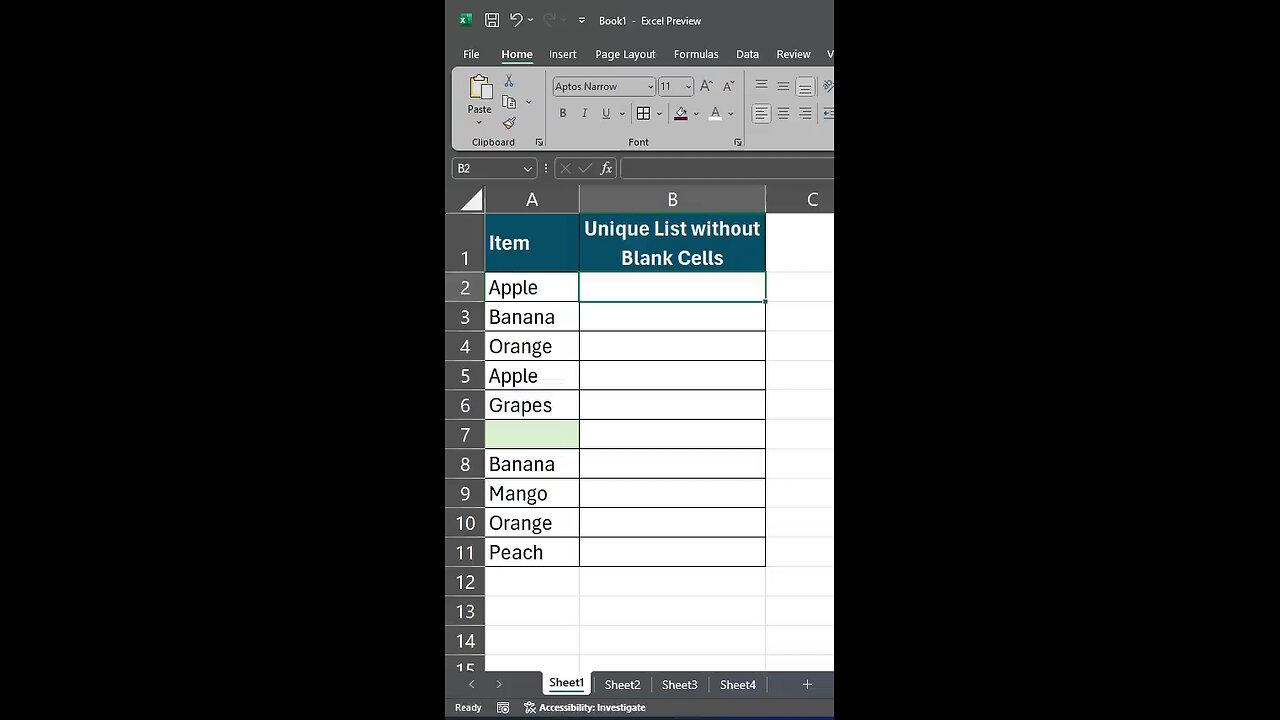
✨Extracting Unique Non-Blank Items from a Range #excel #shorts
In this video you will learn how to use a combination of functions to extract only the unique items from a list while ignoring any blank cells.☀️
In many spreadsheets you might have a list that contains repeated values and sometimes even blank cells. To create a clean list of unique items, you can use the formula =UNIQUE(FILTER(A2:A11, A2:A11<>"")).
What happens here is that the FILTER function first looks at the range A2:A11 and picks only the cells that are not blank. Once this filtered list is created, the UNIQUE function goes through it and returns only one instance of each item, removing any duplicates. For example, if your list includes fruits like Apple, Banana, Orange, and some fruits appear more than once, this formula will ensure that each fruit is listed only once, giving you a neat summary of the items you have.🌲
# viral #trending
-
 LIVE
LIVE
LFA TV
14 hours agoLIVE & BREAKING NEWS! | TUESDAY 12/16/25
4,463 watching -
 57:04
57:04
efenigson
1 hour agoSentenced For Building Freedom! Live: Samourai Wallet's Keonne Rodriguez
4.4K3 -
 LIVE
LIVE
Benny Johnson
1 hour agoDark New Mysterious Footage Of Brown University Killer RELEASED After Republican Leader MURDERED...
3,792 watching -
 LIVE
LIVE
Chad Prather
1 hour agoWhy Trump’s Response To Rob Reiner Passing MISSED THE MARK + Erika Kirk & Candace Meet & Bible Q&A!
495 watching -
 LIVE
LIVE
Badlands Media
8 hours agoBadlands Daily: 12/16/25
3,383 watching -
 LIVE
LIVE
Wendy Bell Radio
7 hours agoUnapologetic
6,159 watching -
 LIVE
LIVE
The Big Mig™
2 hours agoTrump Classifies Fentanyl, A Weapon Of Mass Destruction
3,429 watching -
 1:05:22
Graham Allen
3 hours agoDid Trump Cross A Line? Erika & Candace Are Alive! + Are We Changing Minds On Radical Islam?!
134K936 -
 1:10:11
Chad Prather
11 hours agoWhen Life Pushes You Out of Place
96.5K40 -
 13:48
13:48
Rethinking the Dollar
12 hours agoLiquidity Flood Incoming? This Chart Will Shock You.
11.6K