SigzenERP - Must-Know Tips for Using ERP: Delivery Notes and Pick Lists | Powered By: ERPNext-15
Welcome to the Sigzen ERP Tutorial on Delivery Notes and Pick Lists! This video is designed for both new and experienced users looking to streamline their inventory and shipping processes within the ERP system. Follow along as we guide you through creating delivery notes and pick lists, enhancing your operational efficiency.
In This Tutorial, You'll Learn:
1. Navigating to Sales Orders:
- Search for “Sales Order List” in the awesome bar.
- Add a new sales order by setting the customer name, item code, delivery date, quantity, rate, and amount.
- Save and submit the sales order.
2. Creating Delivery Notes:
- Generate a delivery note from the sales order by clicking on the “Create” button.
- Set the source warehouse and transporter information.
- Save and submit the delivery note.
3. Generating Pick Lists:
- Search for “Pick List” in the awesome bar.
- Add a new pick list, set the purpose, customer name, and warehouse.
- Specify item locations, including item name, warehouse, quantity, stock quantity, and picked quantity.
- Save, submit, and update the current stock.
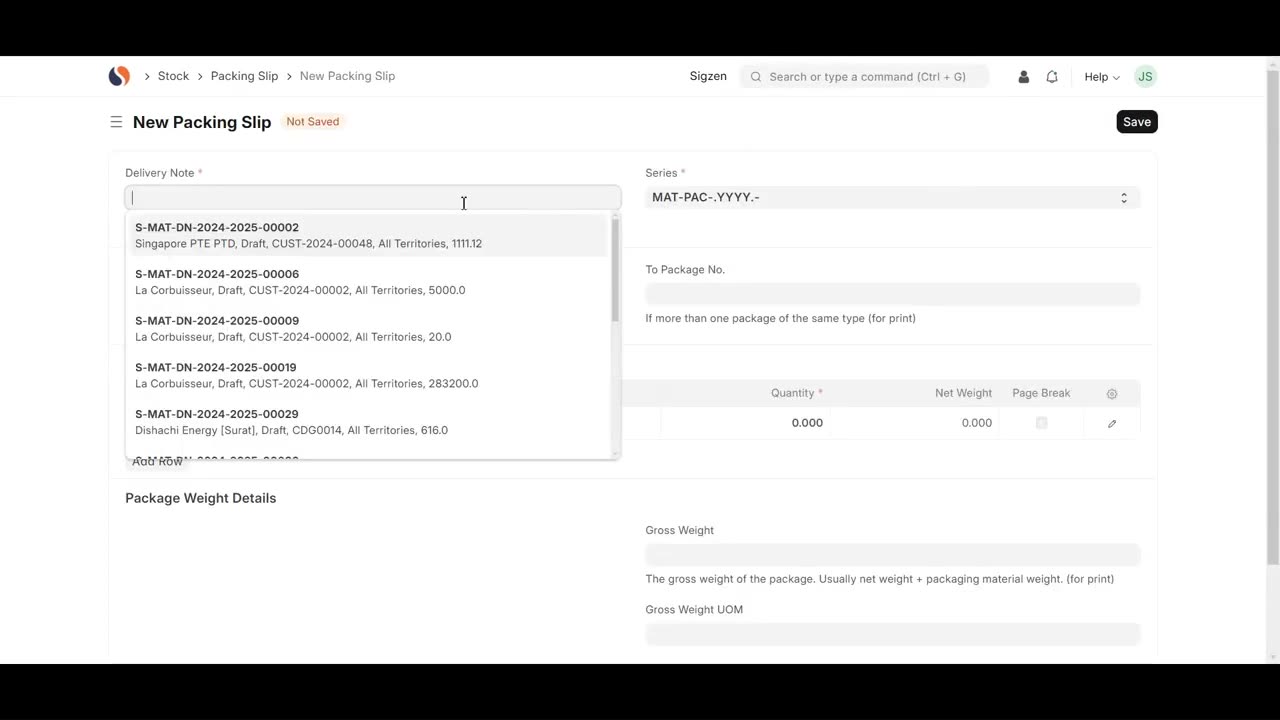
4. Creating Packing Slips:
- Go to the delivery note list and navigate to the connections tab.
- Add a new packing slip, set the delivery note name, and package numbers.
- Include item details such as item code, item name, quantity, net weight, and gross weight.
- Save and submit the packing slip.
Key Features Highlighted:
Efficient Delivery Management: Navigate and manage delivery notes seamlessly within the ERP system.
Streamlined Item Picking: Generate pick lists to guide warehouse staff in accurately fulfilling sales orders.
Detailed Documentation: Add crucial details like transporter info and package weights to ensure accurate delivery records.
Why Watch?
This comprehensive tutorial will help you maximize the efficiency of the delivery note and pick list functionalities in Sigzen ERP. With detailed instructions and practical examples, you'll enhance your inventory and shipping operations, ensuring smooth and accurate deliveries to your customers.
If you have any questions, leave them in the comments below. Don't forget to like, share, and subscribe for more ERP tutorials tailored to your business needs. Happy shipping!
Let’s connect online:
Instagram- https://www.instagram.com/sigzen.tech/
Facebook- https://www.facebook.com/sigzen/
LinkedIn- https://www.linkedin.com/company/sigzentechnologies/
-
 10:24
10:24
Clyde Do Something
7 hours ago $0.02 earnedPresident Trump EXPOSES Carney’s Plan to Sell Canada to CHINA
1622 -
 LIVE
LIVE
Flyover Conservatives
11 hours agoDR. BRYAN ARDIS | Newborn Babies. Monsanto. Transgenderism. What’s the Connection? You’re NOT Going to Believe it! | FOC Show
424 watching -
 25:42
25:42
Jasmin Laine
3 hours agoFox News Panel ROASTS Mark Carney Over China Deal—“Canada Is Detached From Reality”
39514 -
 18:20
18:20
Connor Tomlinson
8 hours agoWas George Orwell an Ethnonationalist?
135 -
 1:03:58
Sarah Westall
2 hours agoEpstein Was the Front to Something Bigger | Cathy O’Brien
7711 -
 LIVE
LIVE
SpartakusLIVE
4 hours agoGames w/ Rall || #1 Spartan and Dragon DYNAMIC Duo
342 watching -
 LIVE
LIVE
megimu32
1 hour agoON THE SUBJECT: 2000s Things That Don’t Exist Anymore 👽
100 watching -
 LIVE
LIVE
CHiLi's Dojo
1 hour agoTekken 8 | Fahk & Rank
29 watching -
![Cookies make everything better, so do you! 💙🍪 [ ART + CHILL + GAMES] !kofi !discord !cookie](https://1a-1791.com/video/fww1/56/s8/1/C/G/g/1/CGg1z.0kob-small-Cookies-make-everything-bet.jpg) LIVE
LIVE
KittenCog
1 hour agoCookies make everything better, so do you! 💙🍪 [ ART + CHILL + GAMES] !kofi !discord !cookie
62 watching -
 52:38
52:38
Donald Trump Jr.
8 hours agoLet’s Act to Save America, Interview with Sen Mike Lee | Triggered Ep.318
128K93