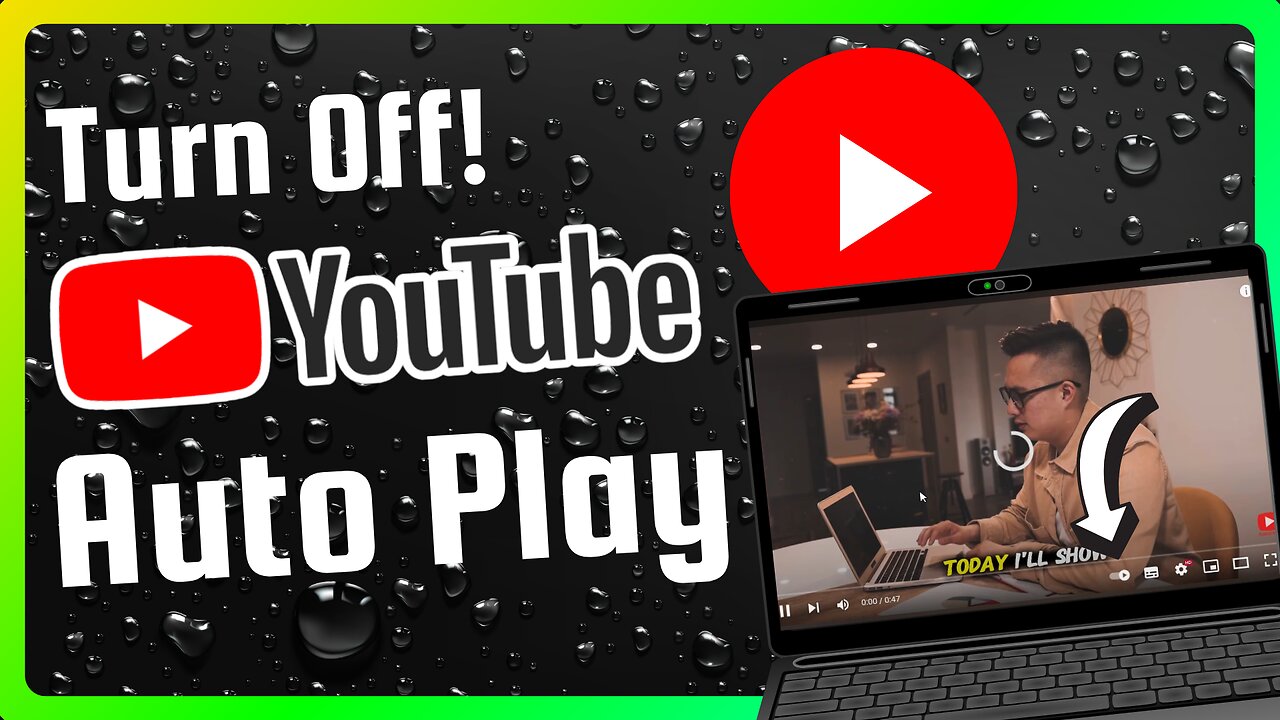
How to Turn Off YouTube Auto Play (Full Guide)
Stop YouTube from automatically playing the next video. Save mobile data, avoid distraction, and take control in seconds. This simple guide shows how to disable YouTube Autoplay on Android, iPhone, mobile browser and desktop — step by step.
What you’ll learn
How to turn off YouTube Autoplay on the YouTube app (fast method)
How to turn it off from app Settings
How to turn it off on desktop and mobile browser
How to check that Autoplay is really off
Step-by-step: Disable Autoplay
Mobile app — quick method (Android & iPhone)
Open the YouTube app.
Play any video.
Look near the video player where the Up next list appears. You will see the Autoplay switch (a small toggle).
Tap the toggle so it is off. Autoplay will stop automatically playing the next video.
Mobile app — via Settings
Tap your profile icon in the top right.
Tap Settings.
Tap Autoplay.
Turn off any Autoplay options like “Autoplay next video” or “Autoplay on Home.”
Desktop (youtube.com)
Open youtube.com and play any video.
On the right side above the Up next list you will see the Autoplay switch.
Click the switch to turn it off. The label will show that Autoplay is off.
Mobile browser (m.youtube.com)
Open your mobile browser and go to YouTube.
Play any video.
Find the Autoplay switch near the suggestions/Up next area and tap it off.
If you don’t see it, open the player menu (three dots) or your profile → Settings → Autoplay and turn it off there.
How to confirm Autoplay is off
After switching it off, play another video or refresh the page. If the next video does not start automatically, Autoplay is off.
Quick Pro Tips
There may be multiple Autoplay options (next video, autoplay on home). Turn off all relevant toggles.
App layouts change by update; if you can’t find the toggle, update the app or check profile → Settings → Autoplay.
YouTube Music has its own autoplay setting — check that app if you use it.
SEO Friendly Keywords (use in tags too)
turn off YouTube autoplay, disable autoplay YouTube, stop autoplay YouTube mobile, stop autoplay YouTube desktop, how to disable YouTube autoplay
If this video helped, please leave a like and drop a heart in the comments — it really helps! Don’t forget to subscribe for more quick YouTube tips.
-
 LIVE
LIVE
Dr Disrespect
1 hour agoHEY! HAVE YOU SEEN THESE BEFORE? | ARC Raiders Secret Tech
935 watching -
 LIVE
LIVE
Steven Crowder
3 hours ago🔴Liar Liar: Stephen Colbert Gets His BS Debunked by CBS & A Strong Independent Black Woman
23,243 watching -
 LIVE
LIVE
Wendy Bell Radio
5 hours agoIt's Us Versus Them
4,697 watching -
 1:32:01
The Dan Bongino Show
4 hours agoInterview with Kash Patel (Ep. 2455) - 02/18/2026
410K377 -
 29:39
29:39
The Rubin Report
2 hours agoCorrecting the Liberal Myths of George Washington | Presidents Series | Andrew Klavan
19K11 -
 LIVE
LIVE
LFA TV
15 hours agoLIVE & BREAKING NEWS! | WEDNESDAY 2/18/26
3,698 watching -
 LIVE
LIVE
The Mel K Show
1 hour agoMORNINGS WITH MEL K - Consent of the Governed Irrelevant in DC 2-18-26
602 watching -
 LIVE
LIVE
The Shannon Joy Show
2 hours ago🔥SJ LIVE Feb 18 - Hijacking Bitcoin With Steve Patterson and Aaron Day 🔥
188 watching -
 LIVE
LIVE
LadyDesireeMusic
2 hours ago $1.38 earnedTake a Break from Doom Scrolling | Piano & Convo | Awkward but Cozy | Live Request from Subs
212 watching -
 1:31:23
Graham Allen
4 hours agoThe Midterms Fight Is On! Media Targets Christians! Mamdani Sucks! Candace Hunts Witches!
145K586