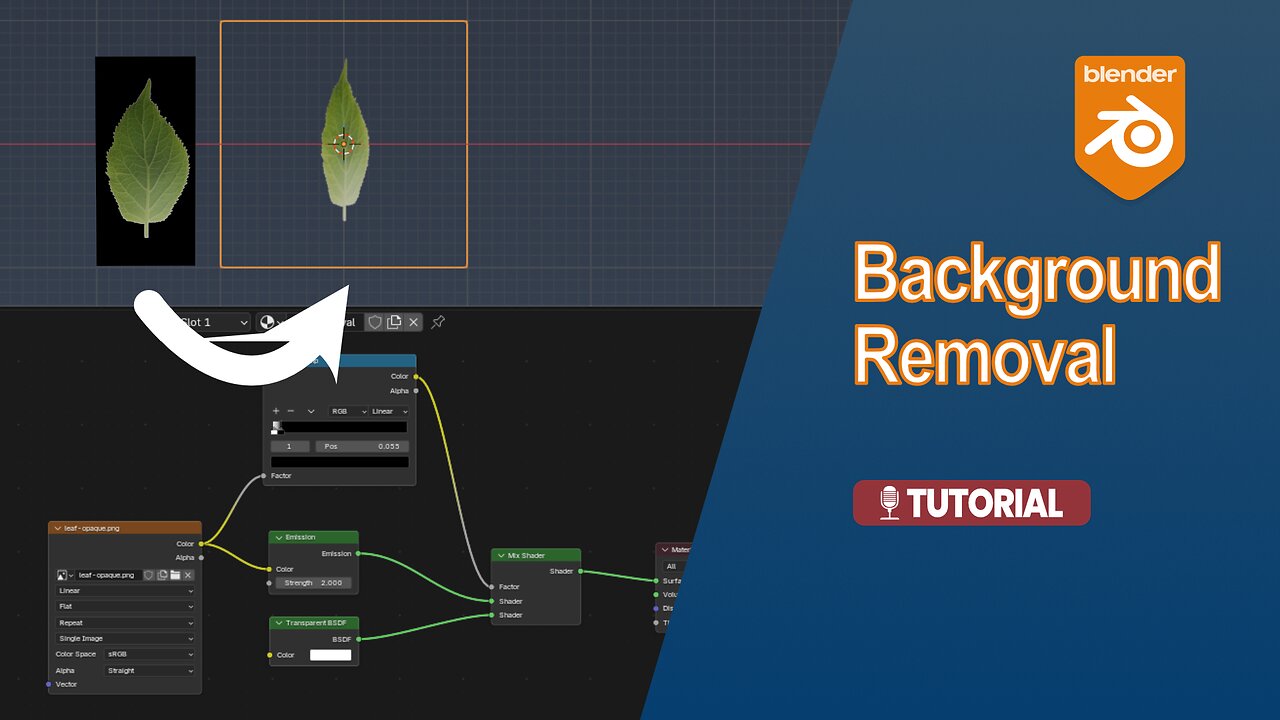
Tutorial: Removing a black background from an image (Cycles and Eevee)
1 month ago
5
In this tutorial, we’ll use Blender to remove the black background from an imported texture image without the need for external software. This will work for both Cycles and Eevee render engines.
#Blender #Images #Background
Materials Playlist: https://rumble.com/playlists/fXQvn5eiVP8?e9s=src_v1_upp_pl
Timeline:
00:00 Opening
00:03 Introduction
00:15 Plane setup
00:27 Shader
01:54 Conclusion
Loading comments...
-
 9:55
9:55
MattMorseTV
12 hours ago $6.13 earnedDemocrats enter PANIC MODE.
49.8K65 -
 25:52
25:52
Nikko Ortiz
1 day agoI Robbed My Assistant
5.76K8 -
 12:58
12:58
MetatronGaming
9 days agoAmazing Game Pick ups!
6.41K -
 5:41
5:41
GritsGG
13 hours agoWarzone Hop Ups #2
3.21K -
 0:29
0:29
Gaming on Rumble
18 hours ago $1.41 earnedRumble Shorts Teaser Trailer
53.2K9 -
 2:09:05
Side Scrollers Podcast
18 hours agoSide Scrollers Podcast Live | Monday February 2nd 2026
13.7K8 -
 1:34:49
Sam Tripoli
2 days ago $5.07 earnedDeep Waters: ICE Is Distracting Us From Something
30.3K20 -
 LIVE
LIVE
Lofi Girl
3 years agolofi hip hop radio 📚 - beats to relax/study to
151 watching -
 1:26:15
The Michelle Moore Show
17 hours ago'Mega Church Collapse, Texas Political Earthquake, Epstein File Celebrities, NYC Buyers Remorse, and more' Guest, Mark Taylor | The Michelle Moore Show (Feb 2, 2026)
28.2K65 -
 20:39
20:39
Nikko Ortiz
14 hours agoMilitary Clips Gone Wrong #6...
18.1K5