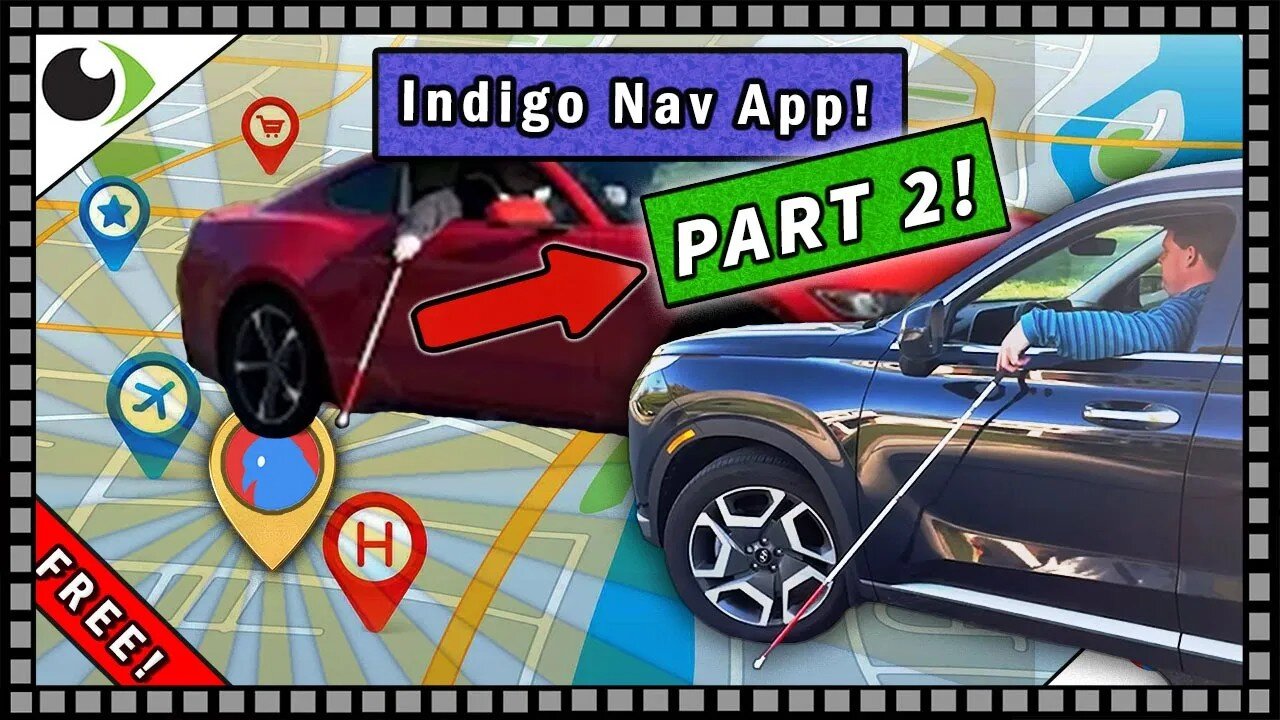
Lost Again?? Another Look at the Free Indigo Nav App! (Part 2!)
We here at Vision Forward want to wish all you Tech Connectors a very Merry Christmas! We read your wish lists in the comment section and now we are giving you your present early!
Cory and Luke are back at it again! Bringing you the knowledge you need to safely get where you want to go this winter. That's right, we are taking another look at the free Indigo Nav App available for iOS and Android!
For those who missed it, here is a link to our Part 1: https://www.youtube.com/watch?v=LY6oyVMLLVU
This time, your favorite Assistive Technology Specialists will demonstrate how to use this app in the real world. We are taking to the sidewalks and even going off road to show you how you can use this app to navigate yourself to a specific address as well as a custom destination point that might not exist on a map.
Like its predecessor, Nearby Explorer, Indigo Nav uses GPS to provide turn by turn instructions, but this time you'll receive additional information to provide a better understanding of your surroundings. You'll hear the names of upcoming intersections and you even get your own turn signal! And just like Nearby Explore, you can use the Look Around Wand feature to get a brief description of anything you point your phone at.
That's not all! The real value of Indigo Nav is the ease by which you can search, save and store various locations. Obviously you'll want to program in your home address to navigate back to, but you could just as easily save and name any spot you visit! Searching is easy too, either enter a street address, browse nearby locations or draw information directly from your Contacts and you'll be on your way in no time!
Join Cory and Luke as we revisit the Indigo Nav App!👍 Like & Subscribe for more tips on accessibility and assistive technology!
0:00 Start
1:30 Finding and Setting a Route via Address and Search,
3:30 An Outside Demonstration, Turn Signals, Announcing Upcoming Street names
4:25 Creating a route to a location which has no address.
5:35 Walking the route first, setting waypoint reminders about specific obstacles along the way
6:36 Luke puts Cory's skills to the test!
7:20 Loading an existing waypoint route, tips for navigation
9:00 Wrap Up Review of the Free Indigo Nav App,
10:45 Ending Goof with Safety Warning
We at Vision Forward would be happy to answer any questions that you still have about the Indigo Nav App and other GPS navigation in general down in the comments!
Contact Vision Forward Association:
Call us: (414-615-0103)
Email us: [email protected]
Visit us online: https://www.vision-forward.org
Online Store: https://www.vision-forward.org/store
Vision Forward's Tech Connect continues to bring you the information you need to make the most out of your devices. Our experts know there are many factors to consider, so if you have any follow up questions please post them in the comments and we will help you find the assistive tech that's best for you.
Want more Tech Connect in your life? You should try us Live! We are still working to build our new studio, but we hope to welcome everyone back to the live show sometime in early January, either Thursday the 8th or 15th! So be sure to check your email for reminders as we approach those dates!
Looking for the full playlist?
https://www.youtube.com/playlist?list=PLdZ61dAGaL_k3I-_LcTPozan9upCqY8Yc
Catch-up with our most recent Tech Connect Livestreams!
Switching Studios: Adieu to the Old, Hello to the New!
https://www.youtube.com/live/QLlVkJqIPsM
Enhance your Android Smartphone with these Low Vision features!
https://www.youtube.com/live/4-3KjqdKbOQ
Meta Ray-Ban Display Glasses! https://www.youtube.com/live/aftNVwt83NQ
weZoom Magnifying Glass Free App! https://www.youtube.com/live/-55phgffmps
Use your iPhone to read for free with Live Read! Featuring Ryan Anetsberger!
https://www.youtube.com/watch?v=9772LGOTkJ8
HumanWare's Prodigi Software Package for Windows!
https://www.youtube.com/live/It2FqVSbvW4
Sign up for free on our LMS and you'll get access to full webinars eligible for free on demand ACVREP credits! https://techconnect.vision-forward.org/login/index.php
Webinar Teaser: "Dictation And Screen Reader use in Windows 11"
https://www.youtube.com/watch?v=ad9_4pCvYYs
#iPhoneAccessibility #LiveRead #Blind #LowVision #AssistiveTechnology
#assistivetechnology #lowvision #OpticalCharacterRecognition #apple #technology #blindness #blindtech #lowvision #vision #sightloss #blind #smartwatch #accessibility #tipsandtricks #blindtech #lowvision #iphone #apple #magnifier #assistivetechnology #CCTV #free #audiodescription #accesible #accessibility #magnifcation #Blind #iphone #ios #mobility #maculardegeneration #lowvision #visuallyimpaired #glaucoma #legallyblind #blind #technology #assistivetechnology #sight #vision #funny #disability #ocr #technews #accessibility #accesible #AI #eye #iPhone #magnifier #GPS #navigation
-
 2:04:23
TetragrammatonPodcast
5 days agoGeorge Saunders
40.3K -
 1:35:16
The Quartering
3 hours agoVERY ODD FACT ABOUT LATEST TRANS MANIAC, THE HERO THAT STOPPED HIM & SUPREME COURT POTENTIAL WIN
95.5K18 -
 2:31:10
The Confessionals
5 hours agoThe Secret Hill Where Autistic Children Meet Jesus
4382 -
 18:09
18:09
World2Briggs
3 hours agoBlue Cities vs Red States: Why People Move Opposite Their Politics
59 -
 21:13
21:13
Stephen Gardner
2 hours agoPam Bondi’s BIG MISTAKE – Trump MUST Fix This NOW!
19K46 -
 11:06
11:06
Clyde Do Something
5 hours ago $1.56 earnedMentally Unstable Man Commits FATAL Shooting in Rhode Island
16.1K3 -
![[Ep 848] Another Shooting, Another Trans | Islam vs US Dogs | Guest Sam Anthony [your]NEWS](https://1a-1791.com/video/fww1/0b/s8/1/2/R/x/0/2Rx0z.0kob-small-Ep-848-Another-Shooting-Ano.jpg) LIVE
LIVE
The Nunn Report - w/ Dan Nunn
2 hours ago[Ep 848] Another Shooting, Another Trans | Islam vs US Dogs | Guest Sam Anthony [your]NEWS
175 watching -
 LIVE
LIVE
The HotSeat With Todd Spears
1 hour agoEP 252: What Bible Are YOU Reading????
271 watching -
 1:04:50
DeVory Darkins
4 hours agoPolice Chief confirms SHOCKING details regarding Rhode Island Fatal shooting
140K37 -
 2:48:28
Decoy
3 hours agoNick just found something in CA..
29.9K2