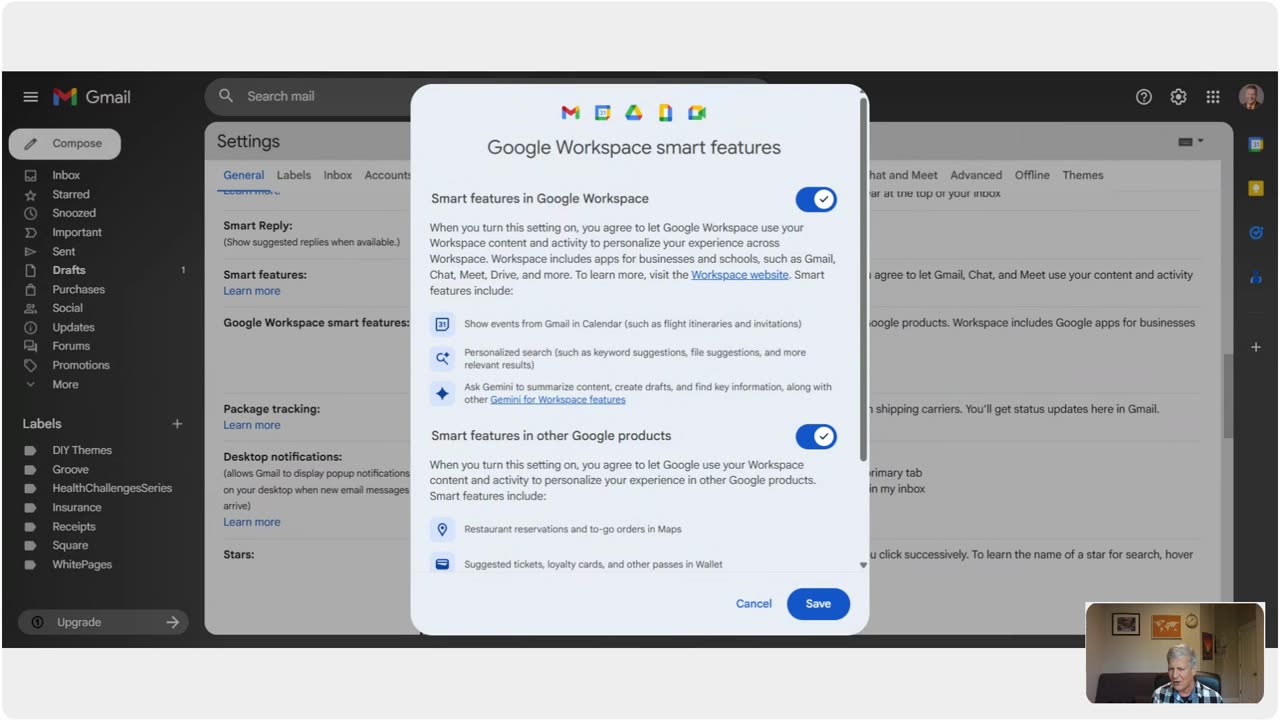
How to Remove Smart Features In Google Email Account
1 month ago
2
https://danielparsonsministry.com Quick instructions on turning off AI features in Google Gmail Settings. Click on the gear wheel to the left of your google profile photo and the google apps. Now click on See All Settings that is in blue. Make sure you are on the General Tab. Scroll half way down page and select "Manage Workspace Smart Feature Settings". Last step is uncheck the box next to Smart Features in Gmail, Chat and Meet. Page will reload.
Write me if you are interested in a successful home based business opportunity.
Loading comments...
-
 LIVE
LIVE
GritsGG
4 hours ago#1 Warzone Victory Leaderboard 1280+ Ws!!🔥
138 watching -
 LIVE
LIVE
NewGenTV_Official
5 hours ago02/07/26 | Random Games! Need a Graphic Designer!
73 watching -
 46:59
46:59
The Why Files
1 day agoProject Anchor: NASA's Secret Gravity Shutdown Program
68.8K87 -
 2:12:16
sim_n_shift
2 hours ago $0.70 earnedHogwarts Legacy: Learned the Hard Way ep2
13.6K -
 2:21:23
OrgoCorgo
4 hours ago $0.37 earnedDragon Quest VII Re-imagined: A remake of one of my favorite games of all time? Yes, please
12.8K -
 3:48
3:48
RidiculousRides
1 day ago $2.28 earnedThe World’s Most Expensive Motorhome: Inside The $3M Marchi Element SV
26.1K9 -
 2:29:03
Charlotte Winslow
2 hours agoMidna plays Legend of Zelda: Twilight Princess at City in the Sky! with Voice Acting
8.23K -
 14:48
14:48
WhatCulture - Film
4 days ago $2.13 earned10 Movies That Just Got Cancelled
21.6K4 -
 LIVE
LIVE
Midnightgreen20
3 hours ago $0.04 earnedTekken 8 | Leveling Up with Raven
9 watching -
 10:52
10:52
WhatCulture Gaming
2 days ago $0.23 earnedThe Perfect Game DOES Exist
12.5K1