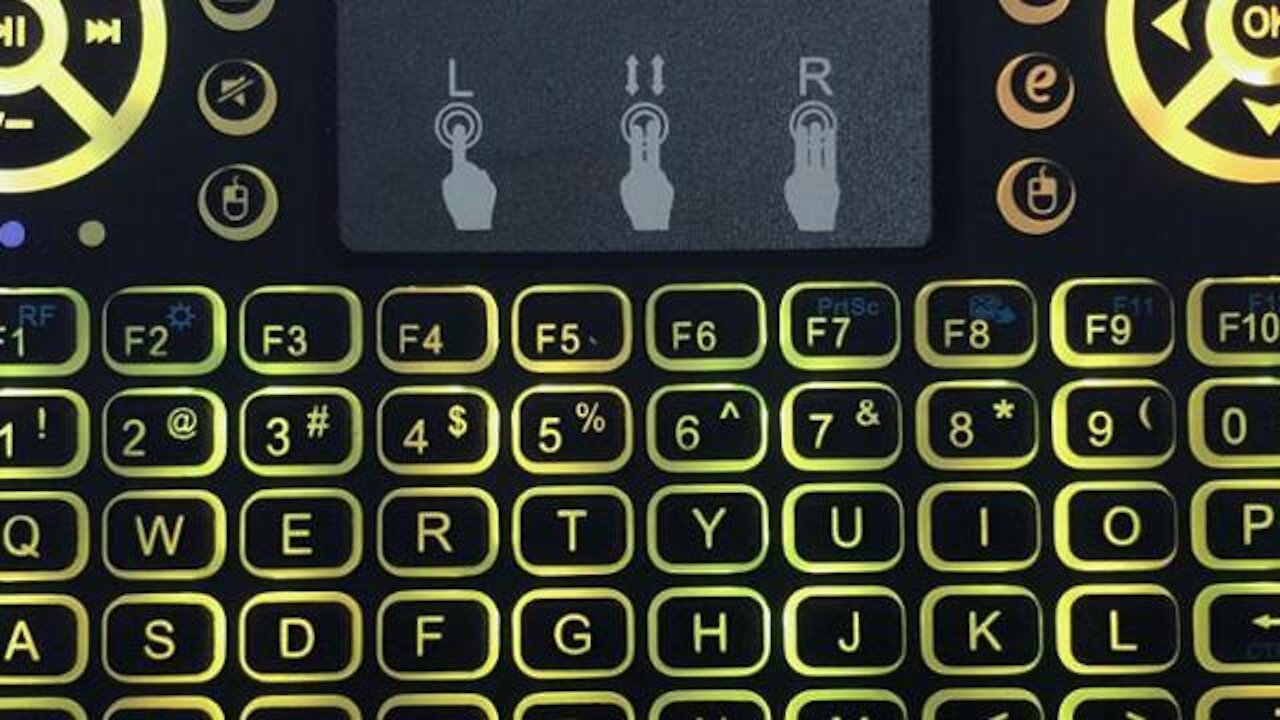
Wireless Touchpad Keyboard with Light
4 years ago
110
About backlit function , you can press”Fn”+”F2″ to enable backlit, and Hold down “Fn”, swipe left and right with your fingers Touch the lower part of the touchpad, it can switch different colors. If you do not hold down “Fn”, just slide the touchpad, then it can enter the marquee mode. Please refer to the video.
Loading comments...
-
 0:05
0:05
Online Shop for Car & Bicycle, Fishing & Hunting, Phones, Sport, Tools
1 month agoMerry Christmas Holidays Christmas Wallpaper Beautiful women
5 -
 0:43
0:43
claudior
5 years agoVicTsing Wireless Keyboard and Mouse Combo Demonstration
155 -
 1:59
1:59
dirkbullet
5 years agoXBOX & LOGITECH MK270 WIRELESS KEYBOARD & MOUSE XBOX REVIEW
37 -
 0:49
0:49
LisaDelGatto
5 years agoAsh with red light
183 -
 3:26
3:26
WXYZ
4 years agoNot as cold with light snow
69 -
 0:37
0:37
kleong
5 years agoPopular Christmas light display with music
901 -
 1:34
1:34
Pianokris
5 years agoRudolf the Red Nosed Reindeer keyboard with vocals
179 -
 8:58
8:58
MaxwellsHouse.org
5 years ago $0.01 earnedExpose Them With God's Light
91 -
 1:37
1:37
WSYM
5 years agoLight snow flurries with cloudy skies
29 -
 0:52
0:52
Gravesjeanie
5 years agoInto the light with Sunny!
102