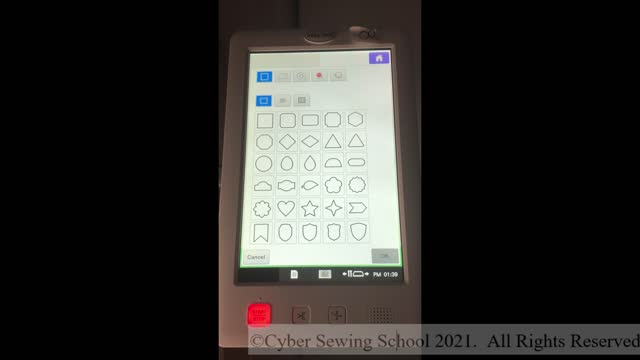
IQ Designer/My Design Center Lesson 2
4 years ago
38
Join Kathy as she explores creating shapes in Lesson 2 of IQ Designer/My Design Center. The Select, Scissors, Size, and Rotate functions will also be introduced. These sequential, skill-based lessons will help you increase your knowledge so you can create beautiful designs in the digitizing module of the high-end Brother and Babylock machines. These lessons are done on a Babylock Valiant (Brother 1050X), but the fundamentals introduced are somewhat applicable to the Babylock Destiny, Brother Dream Machine, Babylock Solaris and Brother Luminaire.
Loading comments...
-
 9:55
9:55
CyberSewingSchool
4 years agoIQ Designer/My Design Center Lesson 1
68 -
 46:33
46:33
Knox Game Design
4 years agoPyxel Edit, Affinity Designer, and MakeHuman - Knox Game Design, November 2017
17 -
 0:58
0:58
IreneMontoya2012
4 years ago $0.01 earnedBalloon Design
58 -
 11:21
11:21
Itslindseylove
4 years ago $0.01 earnedDesign home | design with me
111 -
 0:17
0:17
Fadekingz
4 years agoDesign haircut
73 -
 2:31
2:31
PhysicsExplainedWell
4 years agoImpulse Lesson
54 -
 2:23
2:23
PhysicsExplainedWell
4 years agoMomentum Lesson
58 -
 LIVE
LIVE
Glenn Greenwald
2 hours agoHillary Blames TikTok for Anti-Israel Sentiment; MAGA Sycophants Gain Pentagon Press Access; Who Should Win Anti-Semite of the Year? See the Top 10 Finalists | SYSTEM UPDATE #552
4,928 watching -
 1:03:17
BonginoReport
3 hours agoViolent Criminals Run Free in NY & CA - Nightly Scroll w/ Hayley Caronia (Ep.188) - 12/02/2025
81.7K20 -
 41:54
41:54
Katie Miller Pod
4 hours ago $2.24 earnedPete & Jen Hegseth on Family Values, Job Transition, & Military Readiness | KMP Ep. 17
8.86K7