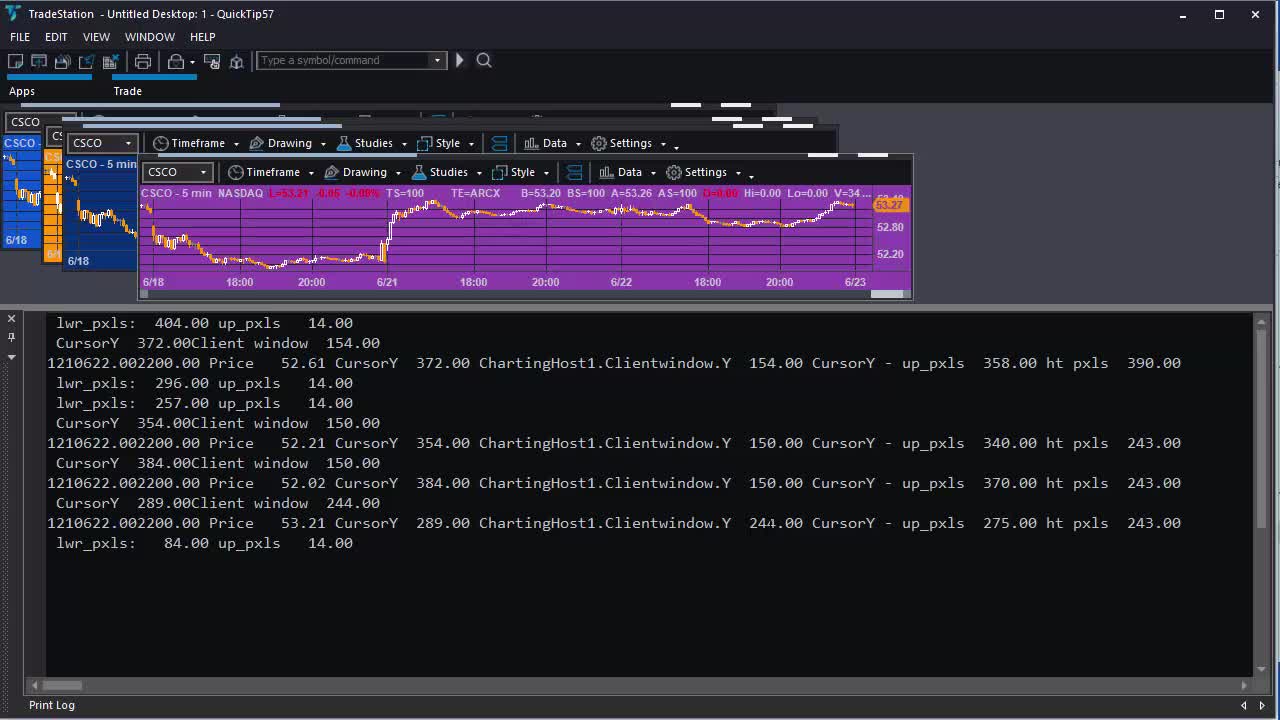
Quick-tip 57 | Find price where TradeStation chart clicked
4 years ago
16
_Quick-tip 57 is a TradeStation EasyLanguage tutorial for TradeStation 10 that demonstrates how to see the price level of a click on a chart. This information could, potentially be used by another algorithm (for example, creating an order ticket.) The tutorial uses the ChartElementClick event which is associated with a drawing object. The program also uses the charting host object to detect when the chart is clicked.
The program works by working out the price at the top and bottom of the chart window. It calculates click position in pixels relative to the top and bottom of the chart window and use this data to calculate what price level was clicked.
Loading comments...
-
 2:24
2:24
Redneck Investing
5 years agoThe Price Gouging Has Begun! Where You Can Still Find Silver 1:15 Pm 1/31
825 -
 4:09
4:09
Markplex
4 years agoQuick-tip 52 | Using the TradeStation scanner during the formation of a bar
15 -
 5:01
5:01
Markplex
4 years agoTradeStation EasyLanguage Quick-tip 50 | Find the lowest RSI and how many bars ago it occurred
35 -
 6:22
6:22
KTNV
5 years agoWhere to Find the Cash
492 -
 0:26
0:26
ahzm79
4 years agoHere is a place where you can find peace!
43 -
 11:50
11:50
Stammherz - Fine woodworking, end grain cutting boards & process-driven builds
6 days agoA Timeless Cutting Board
9941 -
 19:36
19:36
Fit'n Fire
6 hours ago $0.06 earnedThis AK Has a Terrible Reputation -- Here's What Happened
6951 -
 17:03
17:03
TOMSTC
3 days agoDJI Neo 2 Follow Test… Then It Crashed!
8612 -
 2:18
2:18
Memology 101
1 day ago $0.14 earnedTHIS IS F*CKING CRAZY...
1.59K43 -
 31:15
31:15
cyphertank
3 days agoCYPHER TANK S01E01
163K10