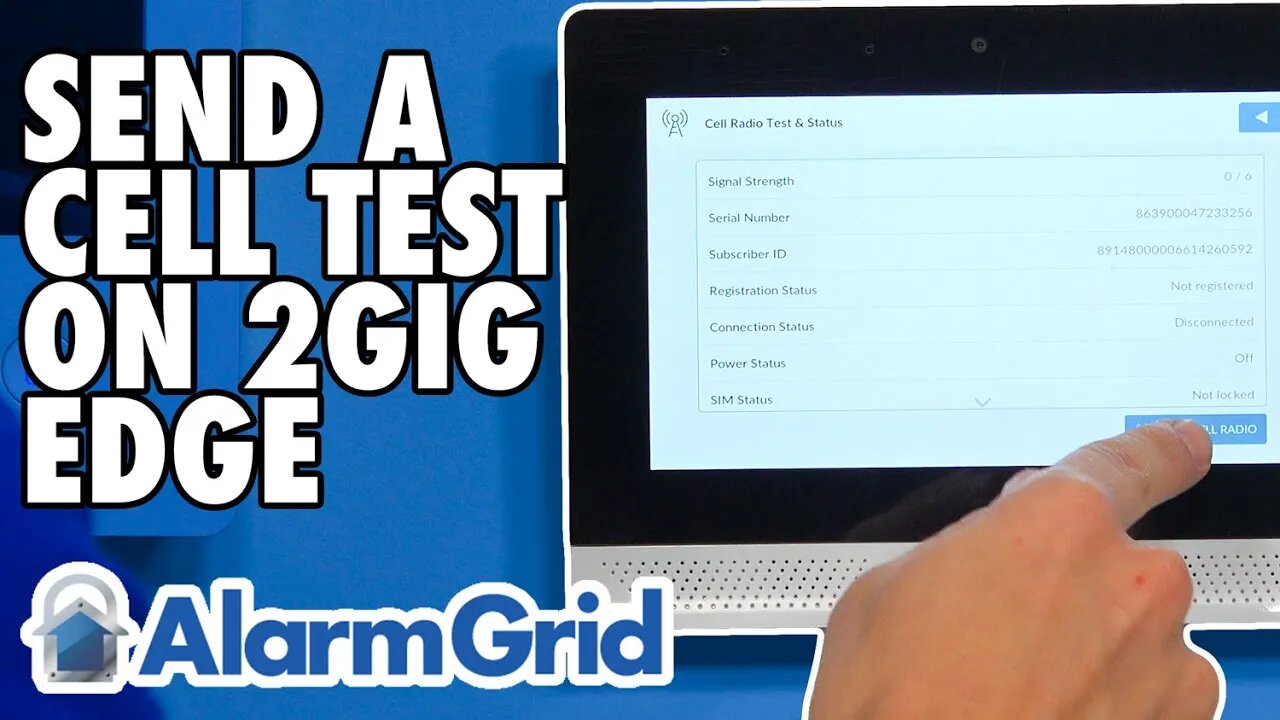
2GIG Edge: Sending a Cell Test
In this video, Jorge from Alarm Grid shows you how to send a cellular communication test signal from a 2GIG Edge Security System. This process is performed to check and make sure that the cellular communicator inside your 2GIG Edge is working properly. That is, the Cell Test will check that the communicator can both send and receive signals. Each 2GIG Edge Alarm Panel has a cellular communicator built inside. You can choose between AT&T and Verizon, and you should base this choice solely upon which cellular network provides better service in the area where the system will be used. You can check coverage maps if you are unsure as to which cellular network is best for you.
Sending a cellular test is something that you will do as part of activating the 2GIG Edge System for alarm monitoring service. When you go to activate the system, you will also be required to provide the IMEI number associated with the system's cellular communicator. This IMEI number may also be listed as the panel's Serial Number, so keep that in mind as well. Your alarm monitoring company will typically be able to help you find all the necessary information. Towards the end of the process is when you will perform a Cell Test to ensure that your system is indeed communicating like it should.
And don't forget that cellular connectivity only represents one communication pathway on the 2GIG Edge. The system can also connect with a WIFI network to provide an additional communication path. It is important to note though that Alarm.com, which is the monitoring platform used with the 2GIG Edge, requires that the system is activated across cellular, and you cannot set up the 2GIG Edge System for internet only or WIFI only. This means that you must choose a monitoring plan that includes cellular service, such as an Alarm Grid Gold or Platinum Level Plan.
In this video Jorge from Alarm Grid shows you how to send a cell signal test from a 2IGG Edge Security System. When you go to activate the 2GIG Edge for alarm monitoring service, you will likely be asked to perform a cell test as one of the final steps in the process. The cell test confirms that the 2GIG Edge is able to send and receive signals using its built-in cellular communicator (AT&T LTE or Verizon LTE). The Edge System uses this cellular module to communicate with the Alarm.com servers.
Although the system can also have a WIFI communication pathway set up for communicating with Alarm.com, setting up the cellular communication pathway used by the system's internal cellular communicator is essentially required. This is because the 2GIG Edge System uses Alarm.com as its security notification and automation platform, and it is the Alarm.com network that forwards system information, including alarm events, to the central station and/or the end-user directly via text message and/or email, depending upon the user's monitoring plan.
The reason why the use of Alarm.com is very important here is due to the fact that Alarm.com mandates that all systems using their network have cellular communication paths that are set up and ready to go. For that reason, the communicator inside your 2GIG Edge must be set up and registered with Alarm.com if you plan on using the system for alarm monitoring service. Meanwhile, the IP communication pathway that can be set up using the system's internal WIFI card is complete optional. However, most users ultimately set up the IP communication pathway anyway, because there is almost no real disadvantage to using it.
As for the cell test, this function tells anyone operating the system, including a DIY user or an installer, if the 2GIG Edge is communicating successfully with the Alarm.com servers using its built-in cellular communicator. A successful cell test indicates successful communication. You will usually perform a cell test at the end of the monitoring activation process to ensure that everything is working as intended. You can also initiate a cell test at any time thereafter to ensure that the system's cellular module is working properly. If your system fails a cell test, you might try to find out if the nearest cell tower is down or non-operational for some reason. You may also try reaching out to your alarm monitoring company for further assistance in troubleshooting the issue.
https://www.alarmgrid.com/faq/how-do-i-send-a-cell-test-for-a-2gig-edge
-
 4:37
4:37
Alarm Grid Home Security DIY Videos
2 years agoQolsys IQ Panel 4: Change the Master Code
36 -
 LIVE
LIVE
Sarah Westall
2 hours agoThe People Driving Canada’s MAID Program — And Why | Kelsi Sheren
106 watching -
 37:16
37:16
The HotSeat With Todd Spears
2 hours agoCrowned and Called with Kendra Spears
4.74K30 -
 LIVE
LIVE
IsaiahLCarter
7 hours agoCanceling Woke, in 2026 || APOSTATE RADIO 042 (Paul D. Rossi, Matthew Mastronardi)
39 watching -
 1:32
1:32
The Dan Bongino Show
6 hours agoDo I have scores to settle on my show? You're damn right
215K284 -
 14:34
14:34
Crowder Bits
1 day agoThis Is Why Democrats Can’t Win Without Open Borders
39.7K35 -
 1:30:59
The Attorney Andrew Branca Show
7 hours agoFederal Court: ICE WINS! MN LOSES! PLUS Federal ID Order!
56.1K32 -
 1:23:05
MattMorseTV
7 hours ago $34.26 earned🔴The Dems. have a "NEW STRATEGY."🔴
146K391 -
 13:20
13:20
Full Ahead
23 days ago $4.36 earnedMiami: The City of Tomorrow 4K Walking Tour
42.1K10 -
 37:05
37:05
hickok45
15 hours agoSunday Shoot-a-Round # 318
34.4K21