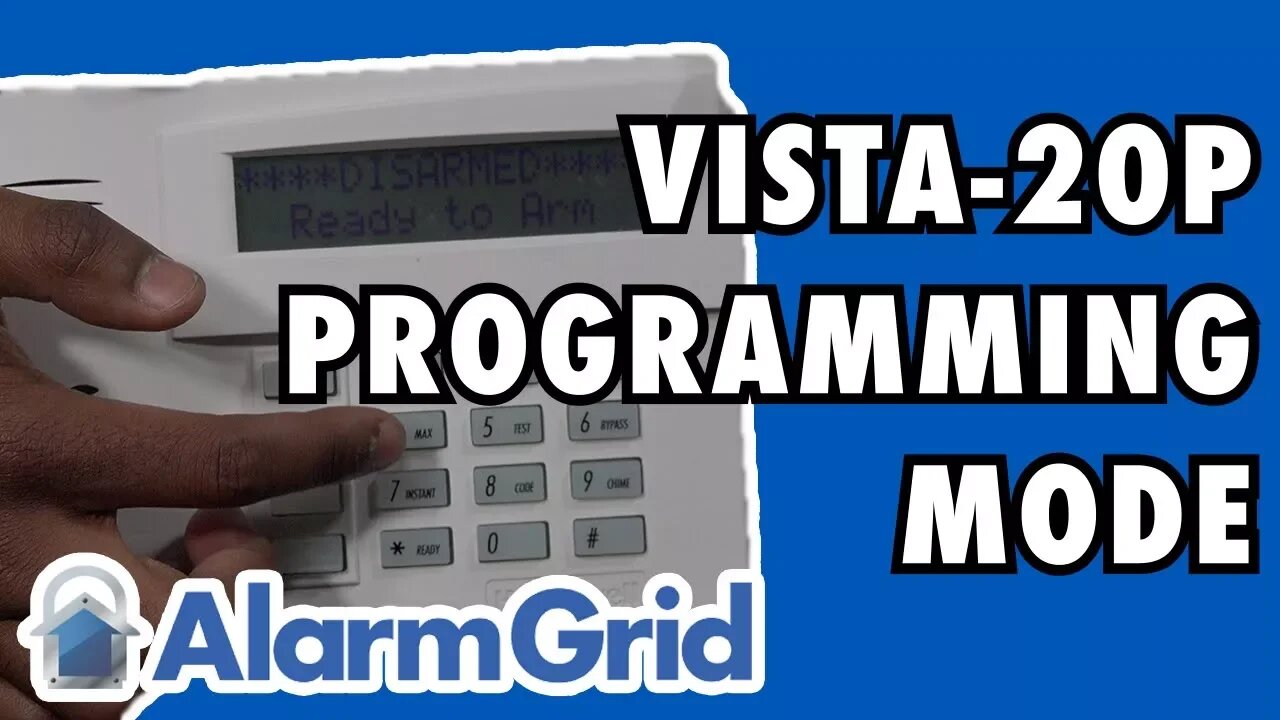
How do I get into programming mode on my VISTA 20P?
In this video, Bryce shows users how to access programming on a Honeywell VISTA 20P Alarm System. Programming mode is used for adjusting a wide variety of different system settings. In this mode, users can add and edit system sensors, set entry and exit delay times, set the system House ID and more.
Programming mode on a Honeywell VISTA 20P is accessed by entering in the command [Installer Code] + [800]. The default Installer Code for the system is 4112. If the user is using an alphanumeric keypad, such as a Honeywell 6160, the message "Installer Code 20" will be displayed. If a fixed English keypad is used, such as a Honeywell 6150, the screen will only display "20". While programming can technically be done using a fixed English keypad, it is strongly recommended to use an alphanumeric keypad instead.
Once a user has accessed programming, the next step is to choose a programming field. This is done by entering in [*] + [Field Number]. The Field Number is a two or three digit code that is assigned to a specific programming option. For more information on the specific options for any given programming field, a user should make sure to review the VISTA 20P Programming Guide. This guide provides detailed information for each and every programming field available for the VISTA 20P Alarm System.
Programming mode can also be accessed using what is called the "backdoor method". The backdoor method is used for situations where the user does not have their system's Installer Code. This process involves powering down the system and then powering it back on. Within 50 seconds of powering on the system, the [*] and [#] buttons must be pressed and held down simultaneously. The screen should then display "Installer Code 20" or "20" to indicate that the system is in programming. However, if a long tone is produced from the keypad instead, then the system is completely locked out of programming, and the user will need to purchase a new panel.
-
 10:19
10:19
Alarm Grid Home Security DIY Videos
2 years agoPROA7 or PROA7PLUS: Awareness Zone Types
36 -
 2:39:31
ThatStarWarsGirl
7 hours agoTSWG LIVE: Helen of DeTROYt Debate!
47.8K9 -
 2:10:46
TheSaltyCracker
8 hours agoMel Was Right About Hollywood ReeEStream 02-04-26
111K159 -
 48:44
48:44
LFA TV
1 day agoMAKE MEN..MEN AGAIN!
30.5K6 -
 1:08:07
AlaskanBallistics
8 hours ago $0.90 earnedI Love this Gun PodCast #88
21.6K4 -
 1:11:00
MattMorseTV
8 hours ago $11.19 earned🔴CHAOS in the SENATE.🔴
43.7K167 -
 6:56:14
GritsGG
11 hours ago25 W Streak Camo ✅! #1 Warzone Victory Leaderboard 1205+ Ws!!🔥
19.5K1 -
 2:25:58
Barry Cunningham
8 hours agoLIVE BREAKING: President Trump Televised Interview | Kristi Noem | Super Bowl Players Speak!
107K24 -
 1:23:46
This is the Ray Gaming
7 hours ago $0.10 earned1v1 Me Bro Podcast Special Guest Yin is NGMI | Rumble Premium Creator
10.7K -
 8:08:15
SpartakusLIVE
10 hours ago#1 Solo Challenge CHAMPION || MASSES Flock to Sparta to WITNESS the ULTIMATE Gaming OVERLORD
27.6K3