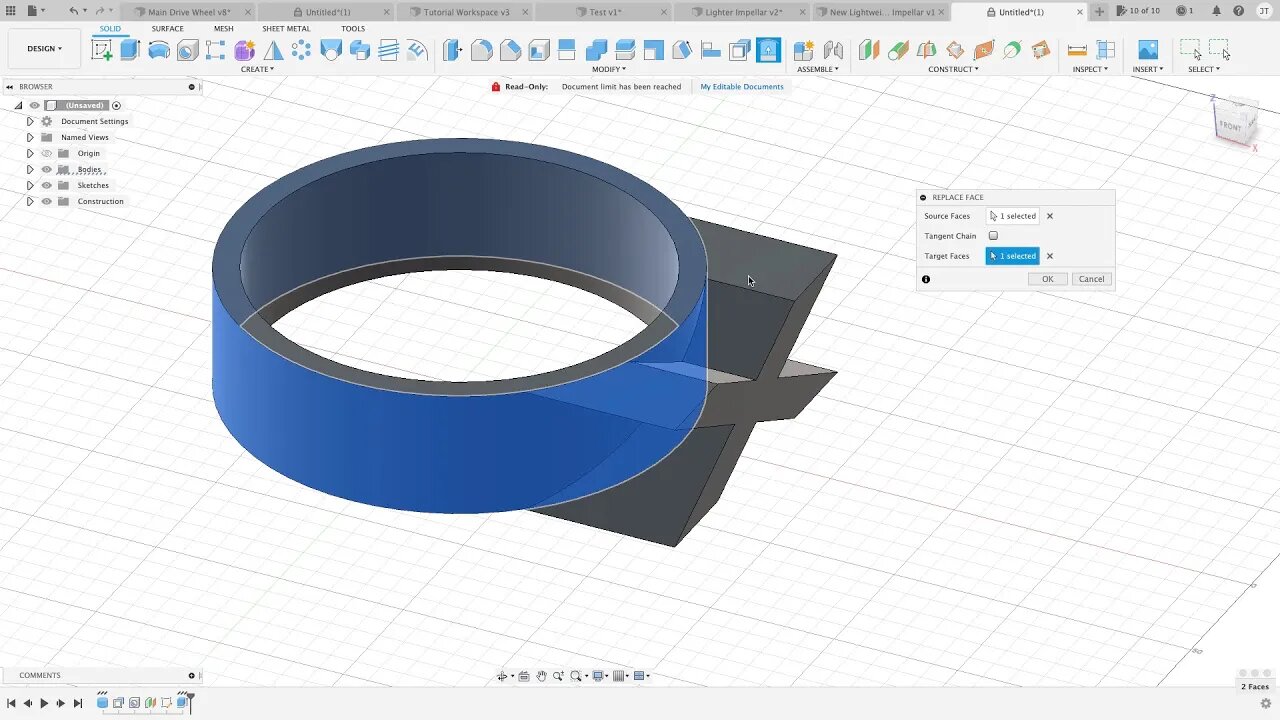
Fusion360 3D Part.19 (Replace Face). The absolute beginner tutorial help series.
3 years ago
42
Need to add a feature to a curved surface, need it to match the surface you want to extrude to? Use the replace face tool. This tool can be used to make the face of an object follow the same path of the a tool body.
Nothing that I just wrote makes sense to me, hopefully you can make something of it. :)
Loading comments...
-
 LIVE
LIVE
Chad Prather
13 hours agoWhy Jesus Raises the Standards - Matthew 5:17-30
3,504 watching -
 47:15
47:15
American Thought Leaders
14 hours agoWhat’s Really Going on Behind the Military Purge in China | Heng He
2.8K1 -
 1:18
1:18
Jeff Ahern
17 hours agoBaltimore's Bling Mayor
6741 -
 4:10
4:10
Damon Imani
19 hours agoI Tested Trump's 'Obama Meme' Outrage...
83412 -
 LIVE
LIVE
BEK TV
2 days agoTrent Loos in the Morning - 2/09/2026
174 watching -
 2:44:23
1stRespondersMedia
9 hours agoSEAHAWKS ARE SUPER BOWL CHAMPIONS!!! 🚨🏆
155K25 -
 6:05:28
B2ZGaming
8 hours agoThe Dudes! | B2Z Gaming
13K3 -
 1:17:00
Turning Point USA
12 hours agoTPUSA Presents: The ALL-AMERICAN HALFTIME SHOW
2.16M1.5K -
 2:15:25
RealAmericasVoice
20 hours agoTPUSA'S ALL-AMERICAN HALFTIME SHOW
1.25M660 -
 27:54
27:54
Man in America
10 hours agoThe Epstein Files Broke Something in Me
57.9K81