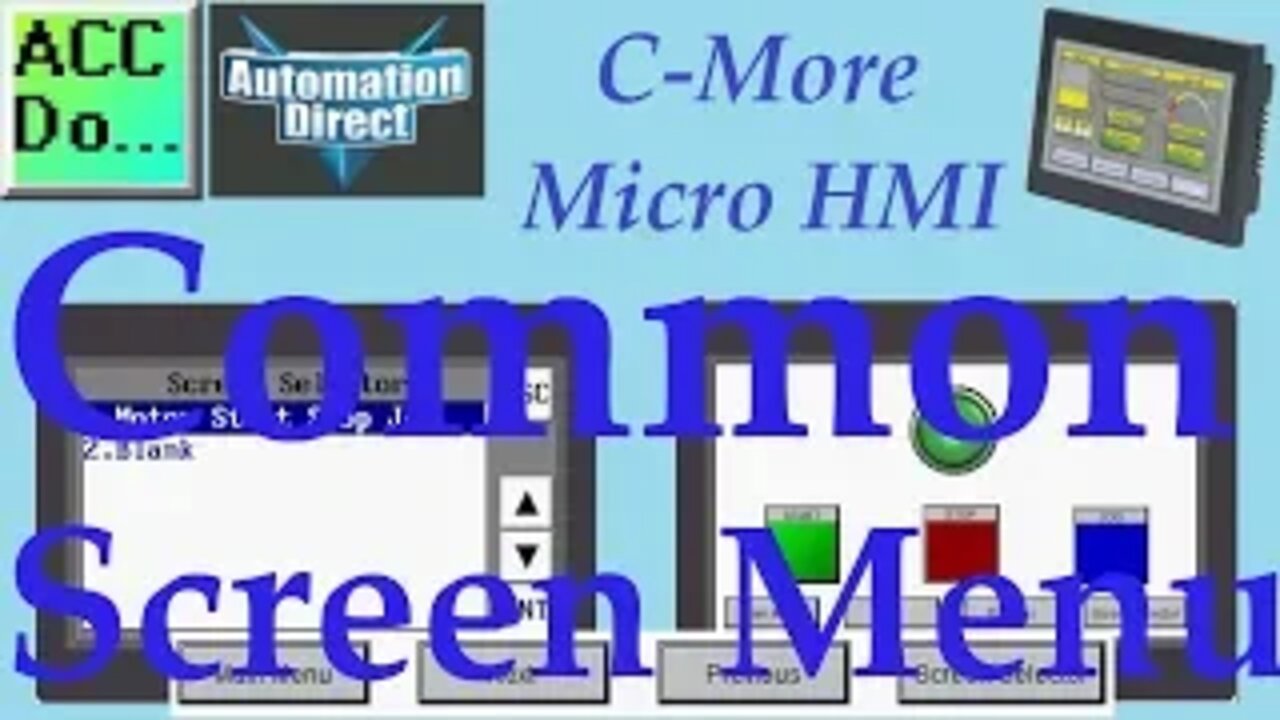
C-More Micro HMI Common Screen Menu
We will now look at creating common screen menus on our C-More Micro HMI. The menu can appear on multiple screens which provides intuitive operation for your operators. Allowing operators of your HMI (Human Machine Interface) panel to easily navigate all of the information available is a vital part of programming. We want to present the information to the operator so they will clearly understand the programmed operation of the unit. Common menus on the HMI panel pages will allow the quick navigation, understanding, and control that your operators want. When programming operator interfaces I have always heard to use the KISS method. (Keep it stupidly simple.) Your HMI program interface could contain hundreds of pages containing vital information for operator understanding and control, but you must make it easily accessible and intuitive. This is how you design and program a good HMI panel display.
We will be creating a common screen menu for our C-More Micro HMI Panel using the C-More Micro programming software. Using our previous program created we will be making a background screen to act as our menu system. Let’s get started.
More information can be obtained on our website. This includes all of the links mentioned in this video.
http://accautomation.ca/c-more-micro-hmi-common-screen-menu
Previously we have discussed the following in our C-More Micro HMI Panel:
System Hardware
http://accautomation.ca/c-more-micro-hmi-system-hardware
Unboxing and Review Video
https://youtu.be/_uCcALMqYlM
Installing the Software
http://accautomation.ca/c-more-micro-hmi-installing-the-software
Installing the Software Video
https://youtu.be/BIGrOvxlDTI
- Update Automation Direct Software C More Micro Software Video
https://youtu.be/MNjTpirZs1s
System Setup Screens
http://accautomation.ca/c-more-micro-hmi-system-setup-screens
System Setup Screens Video
https://youtu.be/KolqJkKKhaA
First Program
http://accautomation.ca/c-more-micro-hmi-first-program
First Program Video
https://youtu.be/FsUe-b3JSns
First Program Part 2 PLC to/from Panel
http://accautomation.ca/c-more-micro-hmi-first-program-part-2
First Program Part 2 Video
https://youtu.be/GDCDTV0_vr0
There are several reasons that we are using the EA3-T4CL C-More Micro Panel.Here are a few:
• Touch screen display
• Free downloadable programming software
• 482 x 272 pixel display (WQVGA) with up to 40 lines by 80 characters of text and graphics
• 32K colours
• 14MB memory
• Built-in USB type Micro-B programming port
• Built-in RJ45 Ethernet Port
• Built-in 15-pin serial communications port
• Built-in RJ12 serial communications port
• Built-in Alarm Control setup that activates beep, back-light flash, customized alarm banner, and red LED blinking
• 0 to 50 °C (32 to 122 °F) operating temperature range (IEC 60068-2-14)
• NEMA 4/4X, IP65 compliant when mounted correctly, indoor use only
• UL, cUL & CE agency approvals
• 2-year warranty from date of purchase
-
 2:00:58
MG Show
18 hours agoFBI’s CRIMINAL RAID on Mar-a-Lago Confirmed; Rob Reiner BEHIND Russia Collusion?
20.1K14 -
 1:00:18
Dialogue works
2 days ago $6.68 earnedLarry C. Johnson: Russia Launches Largest Missile & Drone Attack Yet
18.1K6 -
 12:02
12:02
Actual Justice Warrior
1 day agoChicago Mayor Says ONLY Black Businesses Get Licensed
18.5K25 -
 4:21
4:21
SethDrums
4 days ago50 Cent - In Da Club if it was 1950s
18.1K3 -
 1:48:49
Badlands Media
16 hours agoDevolution Power Hour Ep. 416: The Rug Pull Cycle, False Signals & Narrative Discipline
376K44 -
 1:06:11
Inverted World Live
15 hours agoA Ghost Ship in Washington, A Fire in Roswell | Ep. 155
83.3K16 -
 3:06:55
TimcastIRL
11 hours agoDan Bongino To RESIGN, Trump Addresses The Nation
376K566 -
 2:14:08
Barry Cunningham
10 hours agoLIVE BREAKING NEWS: President Trump Addresses The Nation! And More News!
72.6K31 -
 5:15:27
ThatStarWarsGirl
12 hours agoTSWG LIVE: Discussing STAR WARS News with Special Guest Star Wars Theory!
58K5 -
 2:42:40
Laura Loomer
11 hours agoEP162: LIVE: President Trump Addresses The Nation
71.2K33